When you search a Ghost site that has Magic Pages' Advanced Search enabled what determines which results appear first? For most publishers, the answer has been simple: publication date. The newest posts always appeared at the top, regardless of how well they matched the search query.
This works well for news sites and blogs where recency matters most. But for many publishers – especially those with evergreen content, documentation, or tutorials – this default behavior can be frustrating. A perfectly relevant post from last year gets buried under tangentially related content from yesterday.
The Problem with Date-Based Search
Imagine you're searching for "slow-release fertilizer" on a gardening blog. The site has a comprehensive guide titled "The Complete Guide to Slow-Release Fertilizers" from 2023, but it appears below a recent post that merely mentions "slow cooking" and "new release" in passing.
This happens because traditional search implementations prioritize:
- Recency over relevance – newer content always wins
- All fields equally – a title match counts the same as a passing mention in the body
- No fine-tuning – publishers have no control over ranking behavior
New Search Ranking Controls
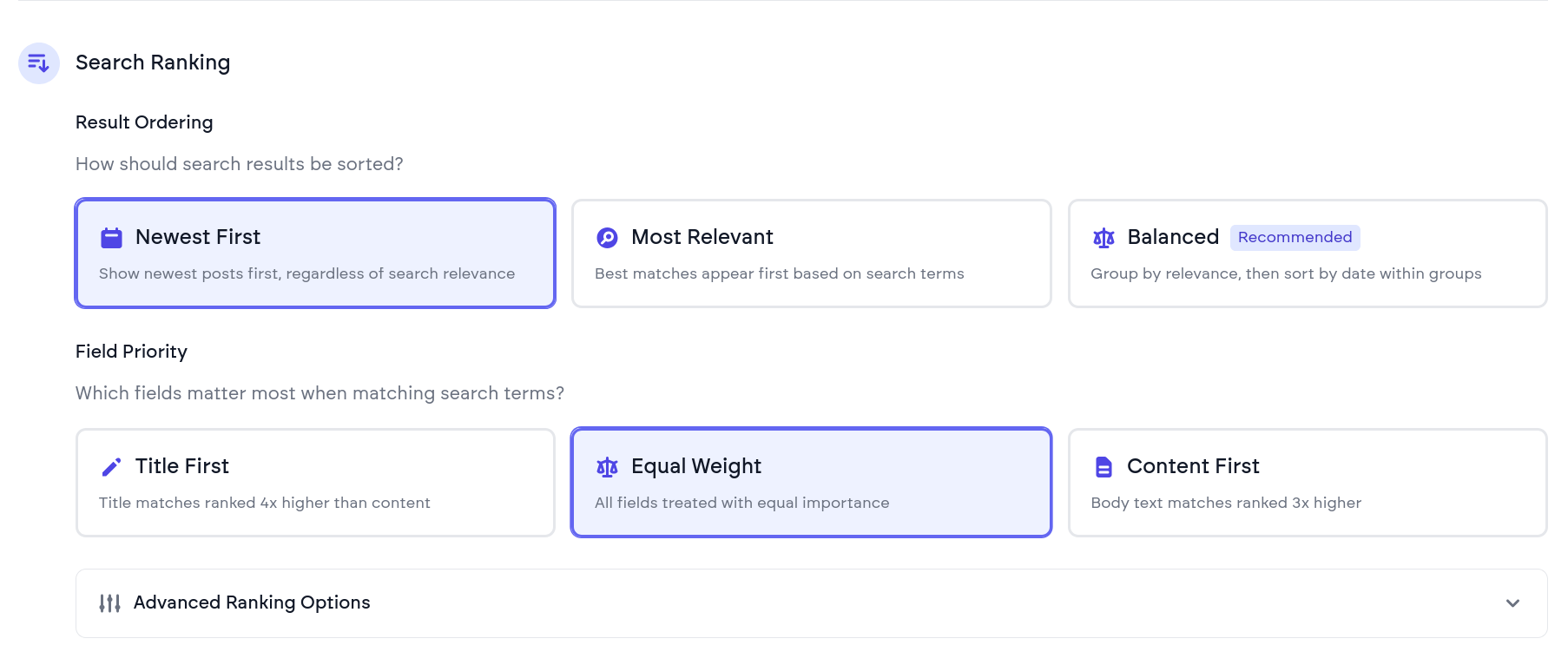
With this update, Magic Pages customers on the Pro plan can now fine-tune exactly how the Typesense-based Advanced Search ranks results. I've added a new Search Ranking section to the Search Configuration panel inside the customer portal with three powerful options:
1. Result Ordering
- Newest First (default) – Results sorted by publication date
- Best Match – Prioritizes relevance with date as tiebreaker
- Smart Ranking – Uses Typesense's bucketed text matching for better relevance scoring
2. Field Priority
Choose how much weight different content fields receive:
- Balanced – Title and body contribute equally
- Title Priority – Title matches rank 4x higher than body text
- Body Priority – Full content matches rank higher than titles
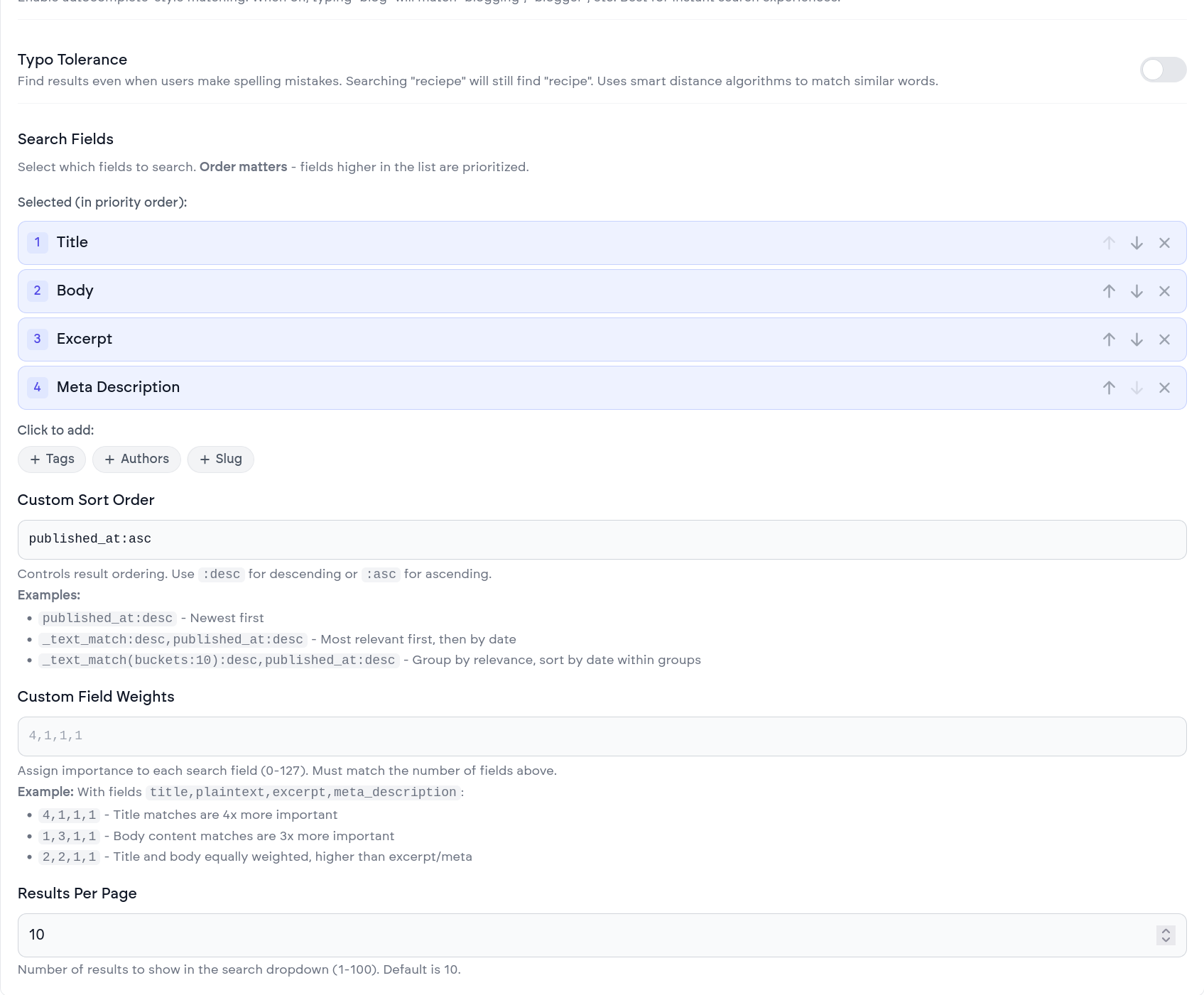
3. Advanced Options
- Prioritize exact matches – Boost results that match search terms exactly
- Enable prefix matching – Find "garden" when searching "gard"
- Enable typo tolerance – Handle common misspellings
4. Search Fields Selector
A new interface lets you choose exactly which fields to search: title, body, excerpt, tags, authors, or any combination.
How It Works
Behind the scenes, these controls map to Typesense's search parameters:
sort_bycontrols result orderingquery_by_weightsadjusts field priorityprioritize_exact_match,prefix, andtypo_tolerancefine-tune matching behavior
The Search UI package (@magicpages/ghost-typesense-search-ui) reads these settings from your site's configuration and applies them automatically.
Search Ranking Controls are available now for all Magic Pages sites on the Pro plan with Typesense search enabled:
- Go to your site's Search Configuration panel.
- Scroll to the Search Ranking section under Typesense settings.
- Experiment with the presets or dive into advanced options.
- Save your changes. They take effect after a few seconds.