
You've just published a fresh article on your Ghost site, shared it on LinkedIn, and... the preview shows your author profile picture instead of that carefully chosen feature image. Or worse, some random image from your page.
This happened to one of Magic Pages's customers recently, and the debugging journey was interesting enough that I thought it deserved a write-up.
The Mystery
The customer noticed that when sharing articles on LinkedIn, the social preview images were completely wrong. Instead of the article's feature image, LinkedIn was picking up whatever it could find − often the author's profile picture or the site logo.
They did what most people would do: investigated the HTML source. And sure enough, there was no og:image meta tag anywhere in the <head> section.
Ghost's {{ghost_head}} helper is supposed to output all the Open Graph meta tags automatically − that's kind of the whole point. But it wasn't happening.
Down the Rabbit Hole
The customer contacted their theme author, suspecting a theme bug. After some back-and-forth, the theme author explained that they suspect that the Ghost installation isn't properly configured.
Fair enough − the theme was using {{ghost_head}} correctly in default.hbs. The helper was being called. It was outputting some meta tags (like the generator tag). But no og:image, no og:title, no structured data at all.
The customer even wrote a workaround which manually added og:image tags after {{ghost_head}}.
It worked, but it felt wrong. Why wasn't Ghost doing this automatically?
The Culprit
When I dug into the Ghost source code, I found the answer in the ghost_head helper:
 TryGhost
const useStructuredData = !config.isPrivacyDisabled('useStructuredData');That useStructuredData flag? It's controlled by a privacy setting called privacy__useStructuredData. And in Magic Pages's customer portal, that setting is exposed:
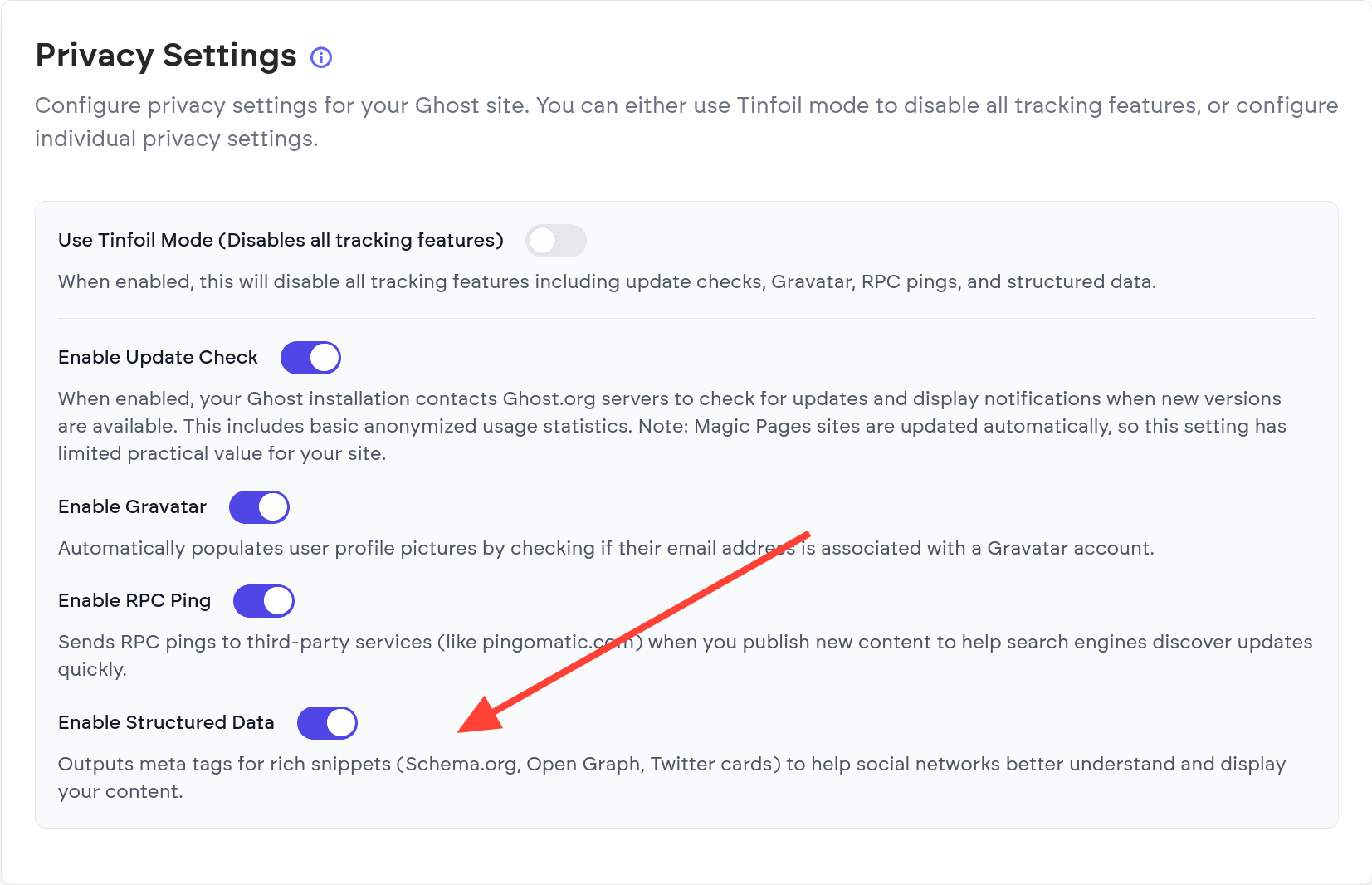
Self hosters can also turn that on by using the privacy__useStructuredData environment variable or privacy.useStructuredData in the JSON-based configuration.
Now, in that very case, the customer didn't explicitly turn off structured data − but turned on Tinfoil Mode.
Tinfoil Mode is essentially Ghost's way of saying "nope" to any privacy settings. No update check (which isn't very relevant for managed hosting anyway), no RPC Ping (which will likely be removed in an upcoming Ghost version anyway), no Gravatar, no structured data.
It's there for users who want maximum privacy and don't care about social media previews. But if you've enabled it and forgotten about it, you'll be scratching your head wondering why your social shares look broken.
The Fix
In the Magic Pages customer portal:
- Go to Configuration → Ghost Configuration
- Find the Tinfoil Mode toggle
- Turn it off
- Save and wait for Ghost to restart
If you're self hosting, turn off Tinfoil Mode or the structuredData in your configuration.
Your og:image tags – and all other OpenGraph tags – will be back, and social media platforms will show your beautiful feature images again.
Lessons Learned
This was a good reminder that privacy features often have side effects that aren't immediately obvious. "Disable structured data" sounds innocent until you realize it also means "break social media previews."
If you genuinely want maximum privacy and don't share on social media, Tinfoil Mode is doing exactly what it should. Just know what you're signing up for.
