Getting the Alpine theme running takes just a few minutes. Here's how to go from download to live site.
Before You Begin
You'll need Ghost 5.0 or higher. If you're on an older version, update Ghost first (or reach out if you need help with that). All Ghost sites hosted on Magic Pages will be compatible with the theme by default. The theme is included for free for all Magic Pages customers.
Installation Steps
If you're a Magic Pages customer, Alpine is already waiting for you:
- Log into your Magic Pages dashboard
- Head to your site settings
- Go to Design → Theme → Change Theme
- Select Alpine from the theme gallery
- Click "Activate"
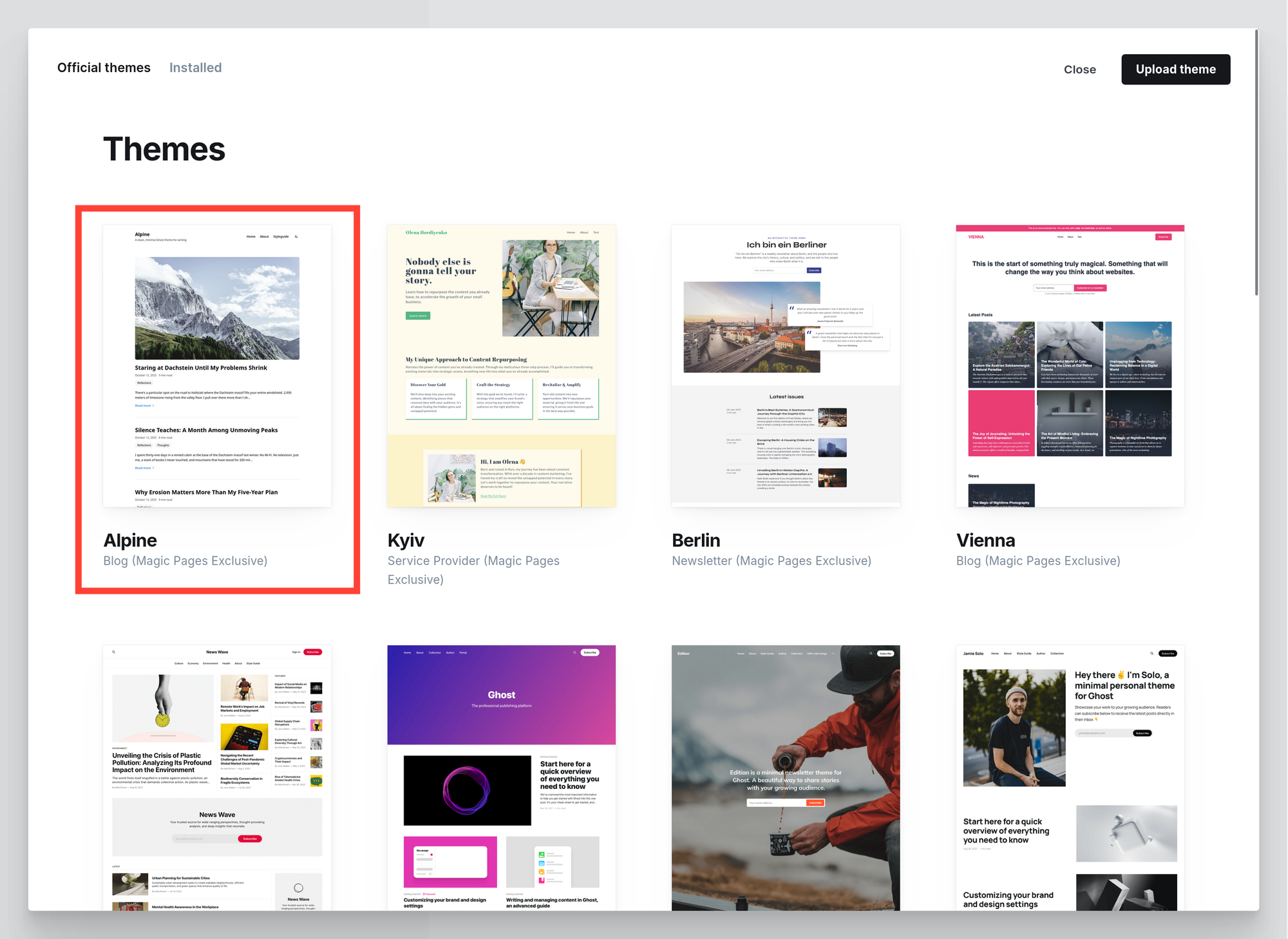
Alpine will be live in a few seconds.
If you purchased Alpine directly:
- Download the
alpine.zipfile from the link you've received in your confirmation email. No need to unzip. - Go to Design → Theme → Change Theme
- Click Upload theme
- Select your
alpine.zipfile - Click Activate once it's uploaded
Next Steps
Now that Alpine is installed, you can:
- Read the Theme Settings Overview to understand every configuration option
- Customize colors and styles to match your brand
- Add custom CSS if you want to tweak things further (Settings → Code Injection)


