

I have recently had a conversation with a customer. And they pointed out a key issue. For somebody who has never dealt with email sending infrastructure, it is hella confusing to all of a sudden deal with "sending domains", "mail from", or "sending addresses". So, let's clear things up and look at how newsletter sending at Magic Pages (and all other managed Ghost hosting providers using Mailgun) actually works behind the scenes.
The Difference Between "Sender email address" and "Sending Domain"
When you send an email newsletter from your Ghost site, there are two different "sender" elements at play:
- Your Sender email address (FROM): This is what your subscribers see in their inbox (like newsletter@yourdomain.com)
- Your Sending Domain: This is the technical infrastructure that actually delivers your email
Take this email below, a recent newsletter I sent out on my personal blog jannis.io. In a normal Gmail inbox the from address is newsletter@jannis.io. That is the address I set in Ghost's newsletter settings. But there are also two other values: mailed-by and signed-by.
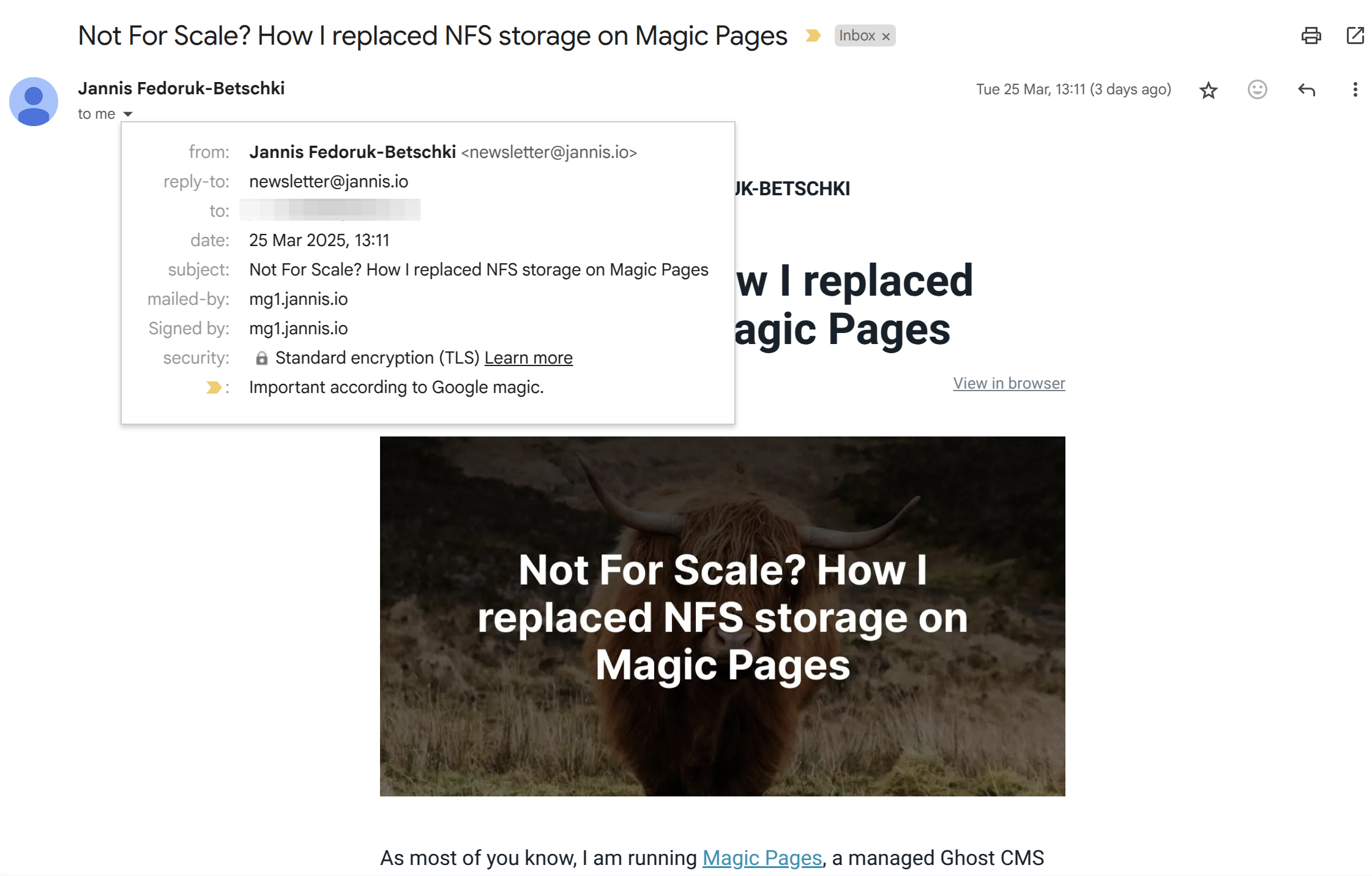
You can see that while the email appears to be from newsletter@jannis.io, it was actually mailed-by the domain mg1.jannis.io and signed-by the same. This is because mg1.jannis.io is my sending domain – the technical infrastructure that delivers my emails.
Still quite confusing, hm? Well, imagine you're sending a physical package to a friend. The Sender email address (newsletter@yourdomain.com) is like your name and return address printed on the package. It tells recipients who the package is from.
The Sending Domain (newsletter.yourdomain.com) is like the courier service (DHL, UPS, FedEx etc.) that actually delivers the package.
Your recipients care about who sent them the package (you), not which courier service delivered it. Similarly, your email subscribers care about your from address, not the technical sending domain.
What You're Configuring in Magic Pages
When you see this screen in your Magic Pages customer portal (on the Newsletter tab), you're choosing which "courier service" to use for delivering your emails:
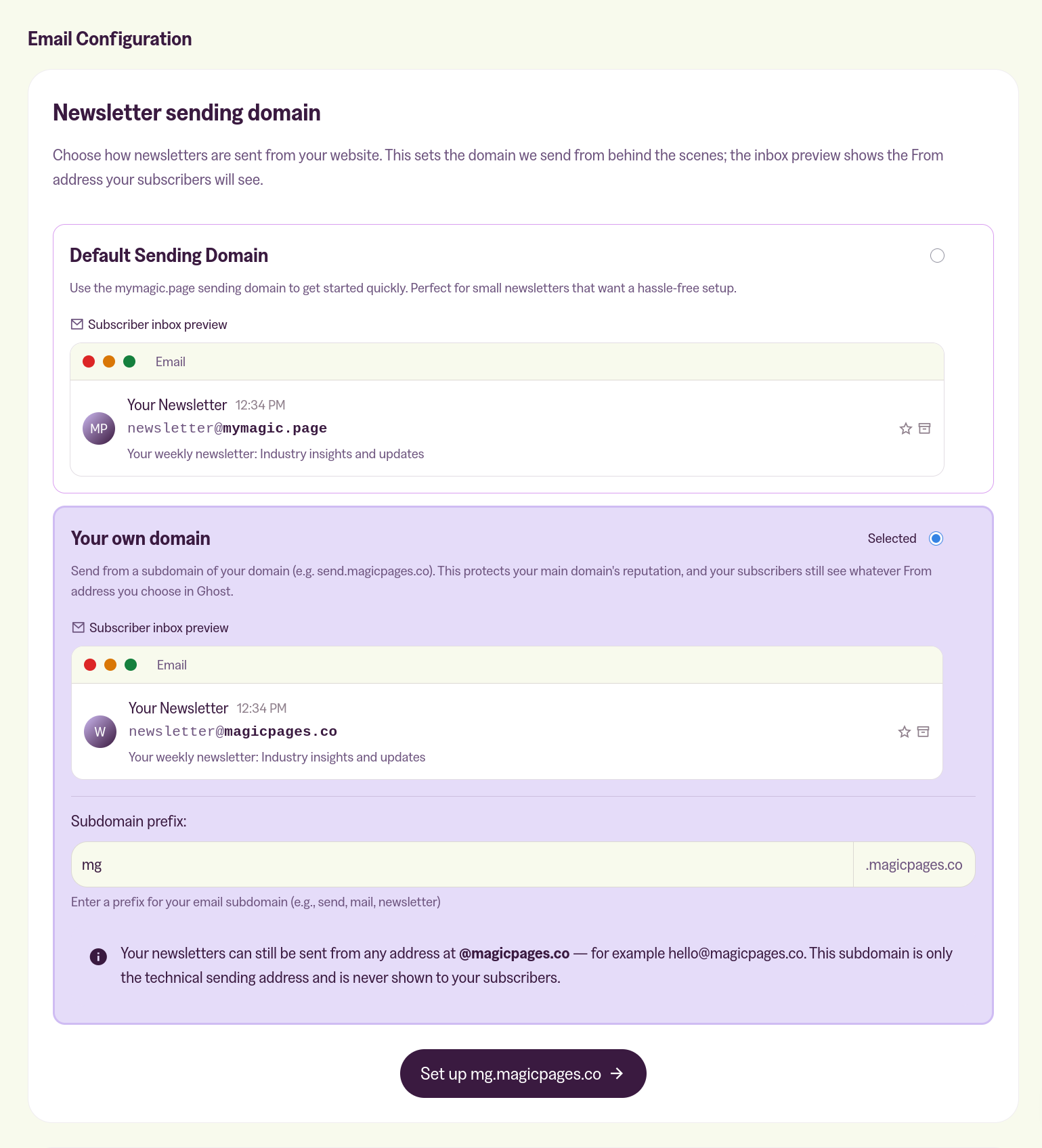
You have two options:
- Use a subdomain (like
send.yourdomain.com): This is like having your own branded courier service. It’s professional and helps with deliverability. Your subscribers still see your main domain in the from address — the subdomain only does the delivery work behind the scenes. - Use @mymagic.page: This is like using Magic Pages' "in-house courier" service. It's quicker to set up, but some recipient's email inboxes might slap a "via mymagic.page" onto it.
Head to your Ghost settings, look for "Newsletters" and then click the "edit" button on the newsletter you want to edit. There, you will find a "Sender email address" field:
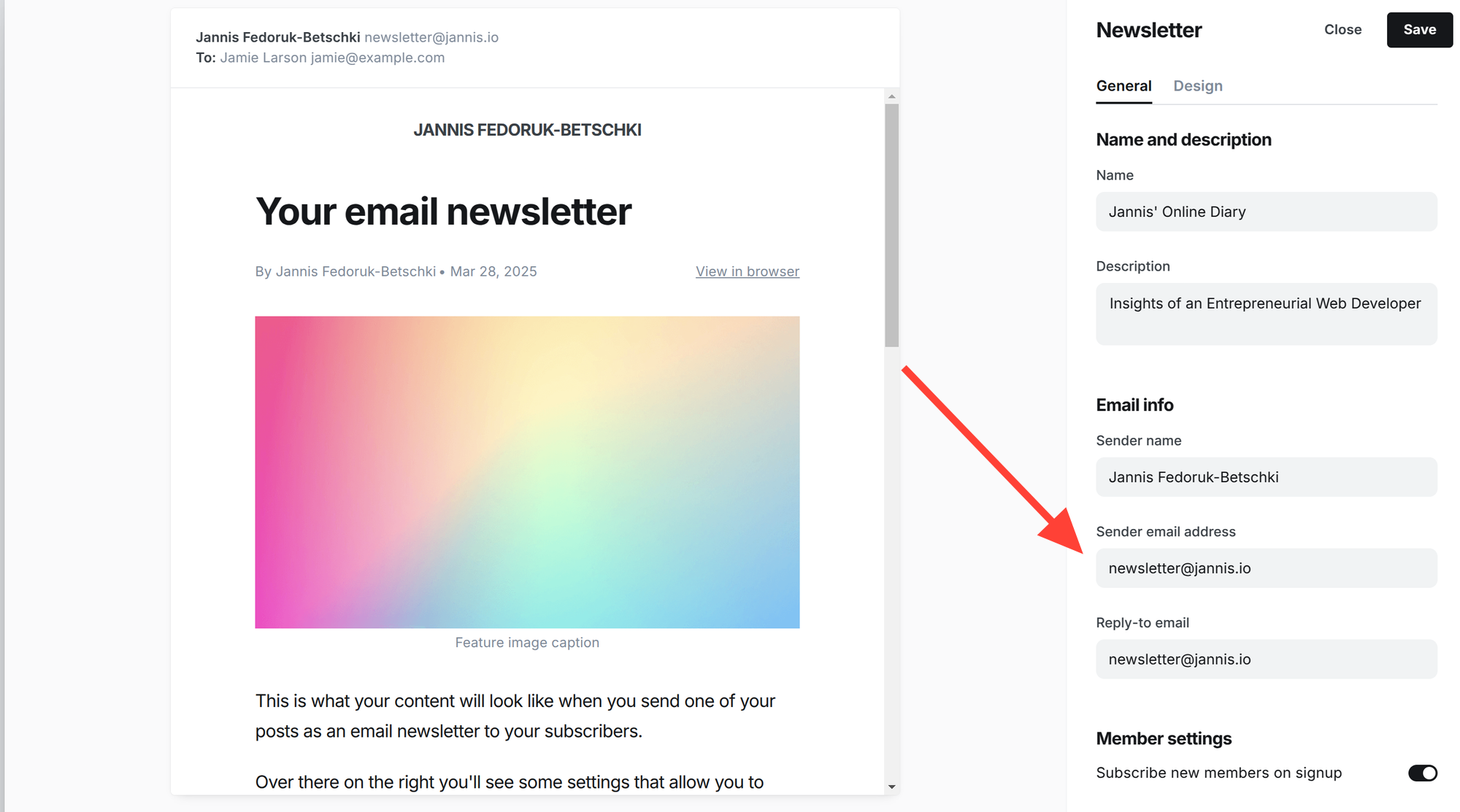
Here's how sender addresses work with each sending domain option:
- If you're using @mymagic.page (e.g., jannis.mymagic.page): Your sender address must be jannis@mymagic.page
- If you're using your main domain or a custom subdomain, your sender address can be any address at either domain – both
newsletter@yourdomain.comandnewsletter@mail.yourdomain.comwork.
Why Use a Subdomain for Sending?
While reading this, you might have asked yourself: "Why not just use my main domain for everything?"
Well, email delivery has become increasingly complex due to spam prevention measures. That is a good thing, overall. But it also means a few more levels of complexity for you as newsletter sender.
When you use a subdomain for sending your newsletters, you mainly protect your main domain's reputation. If there are any deliverability issues, they won't affect your main domain.
Sending Domains Have Nothing To Do With Receiving Email
This is perhaps the most common point of confusion: your sending domain is completely unrelated to your incoming email setup.
The whole point of DKIM and SPF (the authentication technologies behind sending domains) is to authorise a third-party service – in this case, Mailgun – to send email on your behalf. Where your incoming emails go (or whether you even receive emails at that domain at all) is an entirely separate matter.
So, if you're using email forwarding, Google Workspace, or even nothing at all for incoming mail – you can still set up your domain as a sending domain. You don't need a mailbox at newsletter@yourdomain.com to send newsletters from that address.
Frequently Asked Questions
If I use newsletter.yourdomain.com as sending domain, will my emails show up as sent from @newsletter.yourdomain.com?
No! Your emails will show up as being from whatever address you configure in Ghost's newsletter settings (like newsletter@yourdomain.com). The sending domain is mostly invisible to recipients except in detailed email headers or sometimes small "via" indicators in some email clients.
What happens if I don't set up a custom sending domain?
Your newsletters will still send using the shared mymagic.page domain. This will work, some email clients might show a "via mymagic.page" indicator and it appears less professional than using your own domain.
Do I need to receive email at my domain to use it as a sending domain?
No! This is a common misconception. Sending and receiving email are completely separate systems. You can use yourdomain.com as your sending domain even if:
- You only use email forwarding
- You use Google Workspace or Microsoft 365 on a different setup
- You don't receive any email at that domain at all
The DNS records you set up for sending (now all CNAME records, for SPF and DKIM) don't interfere with your incoming email configuration (MX records).
Does this affect my regular business email?
No. This only affects newsletters sent through Magic Pages' managed Ghost hosting. Your regular email (like Google Workspace or Microsoft 365) uses completely separate email systems.
What's Happening Behind the Scenes
When you send a newsletter, here's what actually happens:
- Ghost generates the email with your content.
- Ghost passes it to Mailgun (Magic Pages' delivery provider) with your From address.
- Mailgun sends it using the configured sending domain.
- The recipient's email server checks that the sending domain is authorised to send on behalf of your From address.
- If everything passes these checks, the email lands in the inbox.
Without proper sending domain configuration, your emails might fail these authentication checks and end up in spam folders.
Need Help?
Setting up email domains can be super technical, but it's worth doing right. If you need help, just reach out via help@magicpages.co or the live chat in your customer portal.
I will be happy to guide you through the process.