Now Available

Native Share Buttons on all Magic Pages Themes

· Jannis Fedoruk-Betschki

All Magic Pages exclusive themes (Vienna, Berlin, Kyiv, Alpine) have just been updated to support Ghost's new native share buttons:

Native share buttons
Give readers a built-in way to share your content, from your site or their inbox
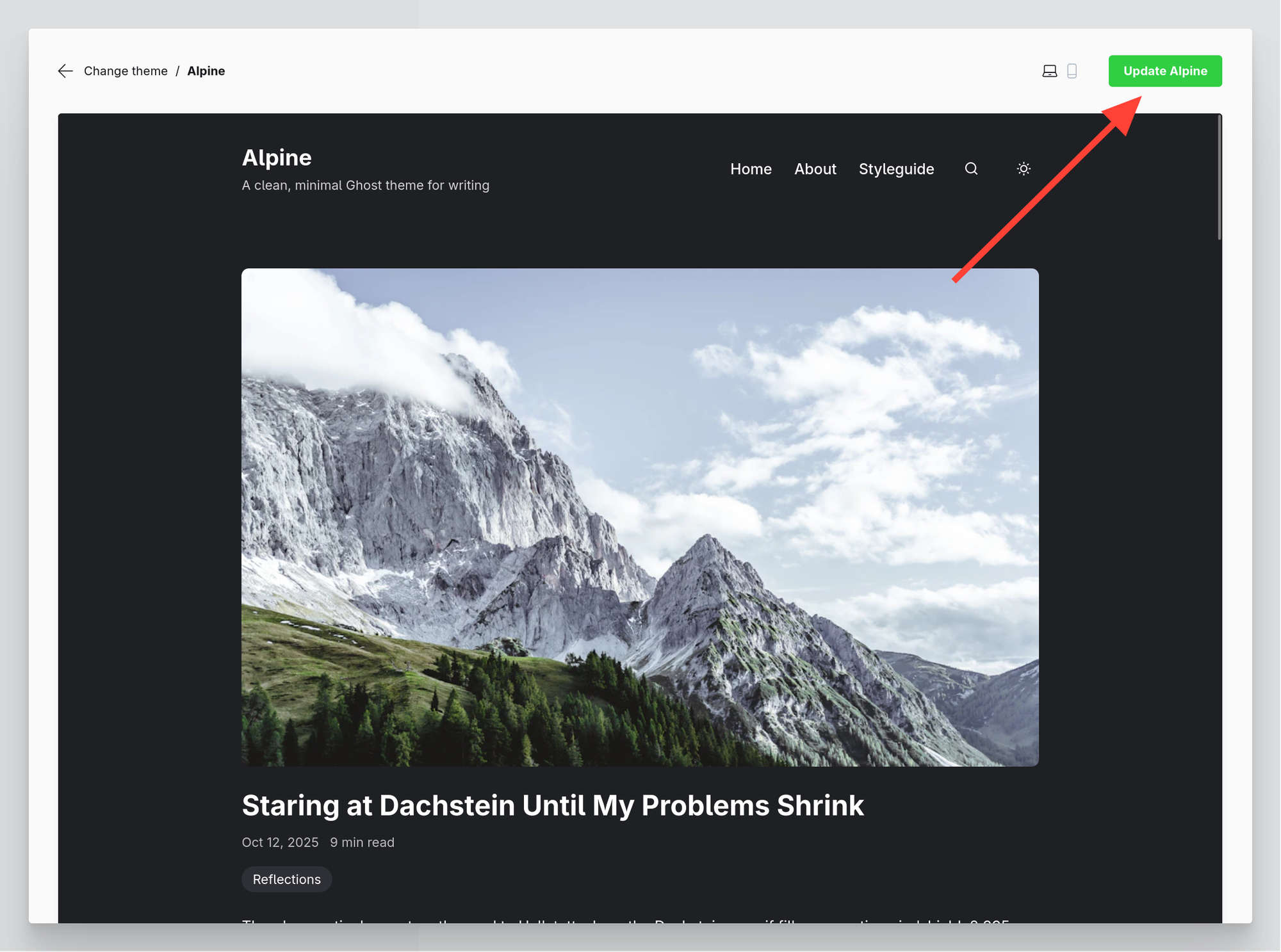
To get access to this feature, all you need to do is update the theme. You can do so by navigating to Settings > Themes. There, you select your theme, and then click the green Update [Theme name] button.
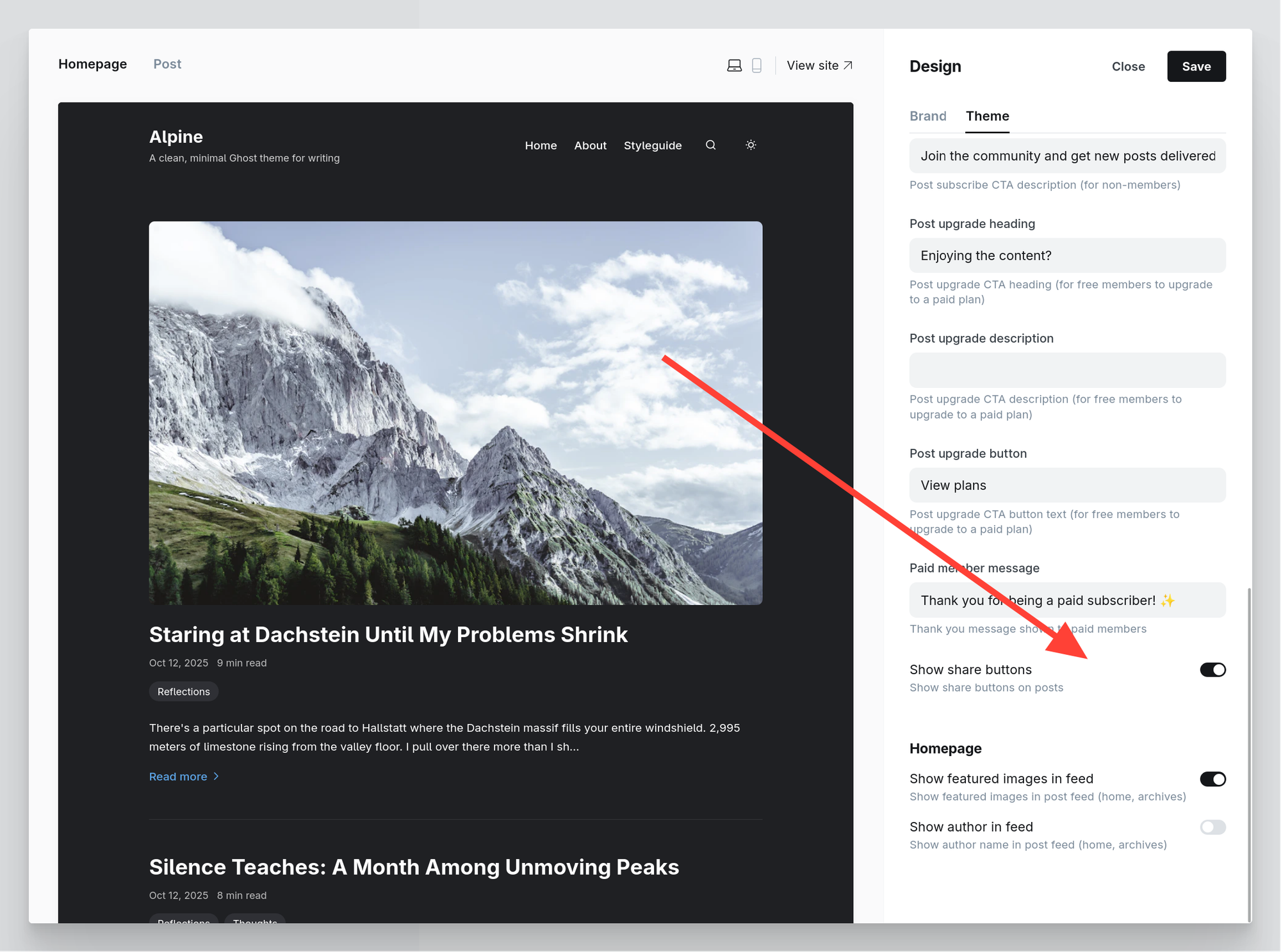
This will download the newest version of the theme, adding a theme setting to activate the native share buttons:
This feature is now available!

If you're already a Magic Pages customer, you can access this feature right away. If you're not yet using Magic Pages, start your free trial today to try it out.

Start Your 14-Day Free Trial

No credit card required

Questions or feedback?

Let us know what you think about this new feature in the comments below!

Websites powered by Magic Pages

From personal blogs to growing businesses — published with Ghost®, hosted with care.

Loading showcase sites...

Start Your 14-Day Free Trial

No credit card required