Every Magic Pages site handles personal data. Your members' names and email addresses, your visitors' IP addresses, who opened which newsletter. You decide what happens with that data, and we store and process it for you. The data processing agreement (DPA) is the contract that says what we're allowed to do with it, and what we owe you in return.
You can now sign it in your customer portal, and you get a countersigned PDF back with our seal on it.
What a DPA is
The GDPR requires one. Article 28 says that when a company processes personal data on someone else's behalf, a written contract has to govern it. For your site, you're the controller and we're the processor, so that contract is between you and us.
Ours has 11 sections and three annexes. They cover what data we process and why, which other companies we use to do it, how we secure it, and what happens to it when you leave.
Why we think it matters
A DPA is easy to file away as paperwork. But it's the one document where our promises about your readers' data are binding, and where you can hold us to them. A few examples from ours:
- If a security incident affects personal data, we tell you within 48 hours.
- Before we add or replace a sub-processor, like Hetzner for our servers in Germany or Cloudflare for the CDN, we email you at least 14 days ahead. You can object.
- You can ask for an audit, with 14 days' notice.
- When you leave, you can ask for your data back within 30 days. We delete it from our servers within 30 days of the contract ending, and from backups within three months after that.
Those are the questions an auditor or your own lawyer will ask about your newsletter list. The DPA is where the answers are in writing.
How it worked until now
We published our DPA in May 2024. It's an addendum to our terms of service, so it applied to every customer through the terms, without a separate signature.
If you wanted a signed copy, you had to email us. We prepared the agreement by hand and sent it to you, you signed, and then we countersigned. Since September, we've done that 18 times on sign.magicpages.co.
It worked, but every signature started with an email and waited on one of us to set it up.
How it works now
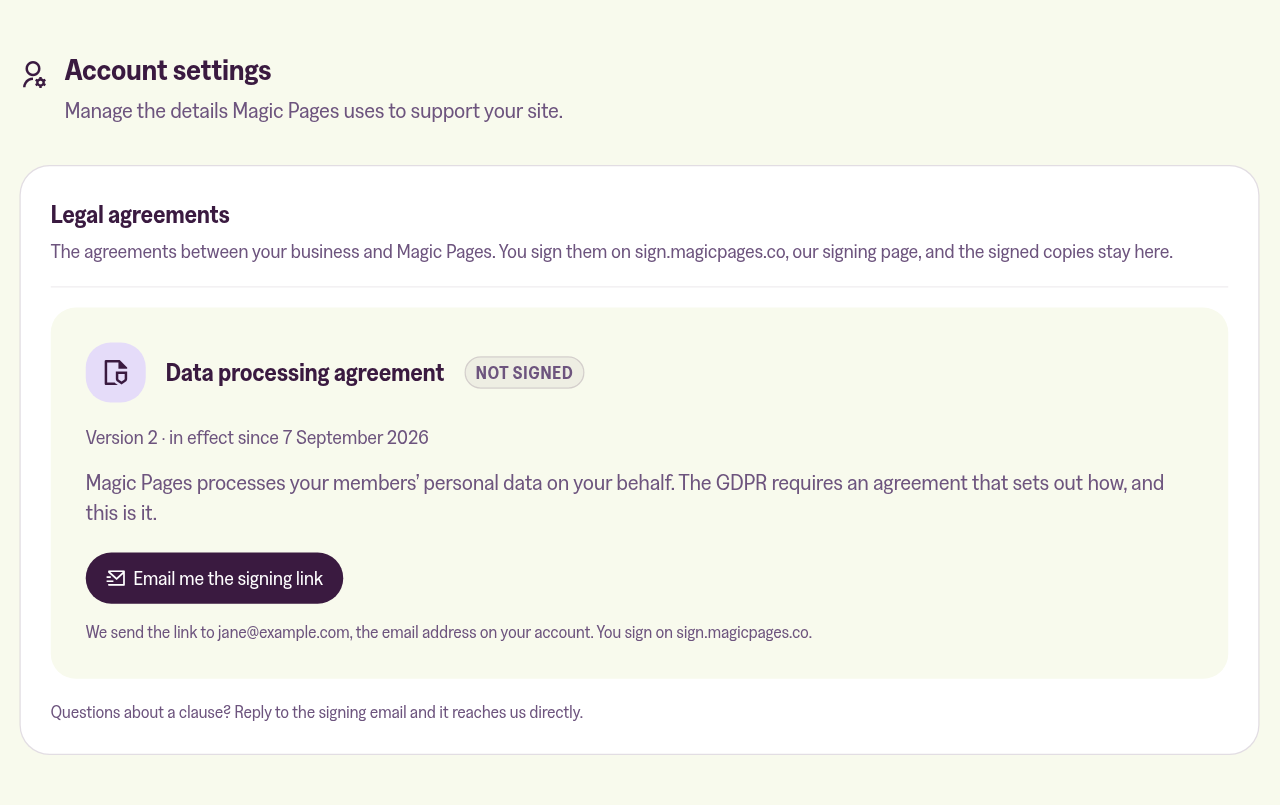
Open the Account tab in the customer portal and scroll down to Legal agreements. Email me the signing link sends a link to the email address on your account.
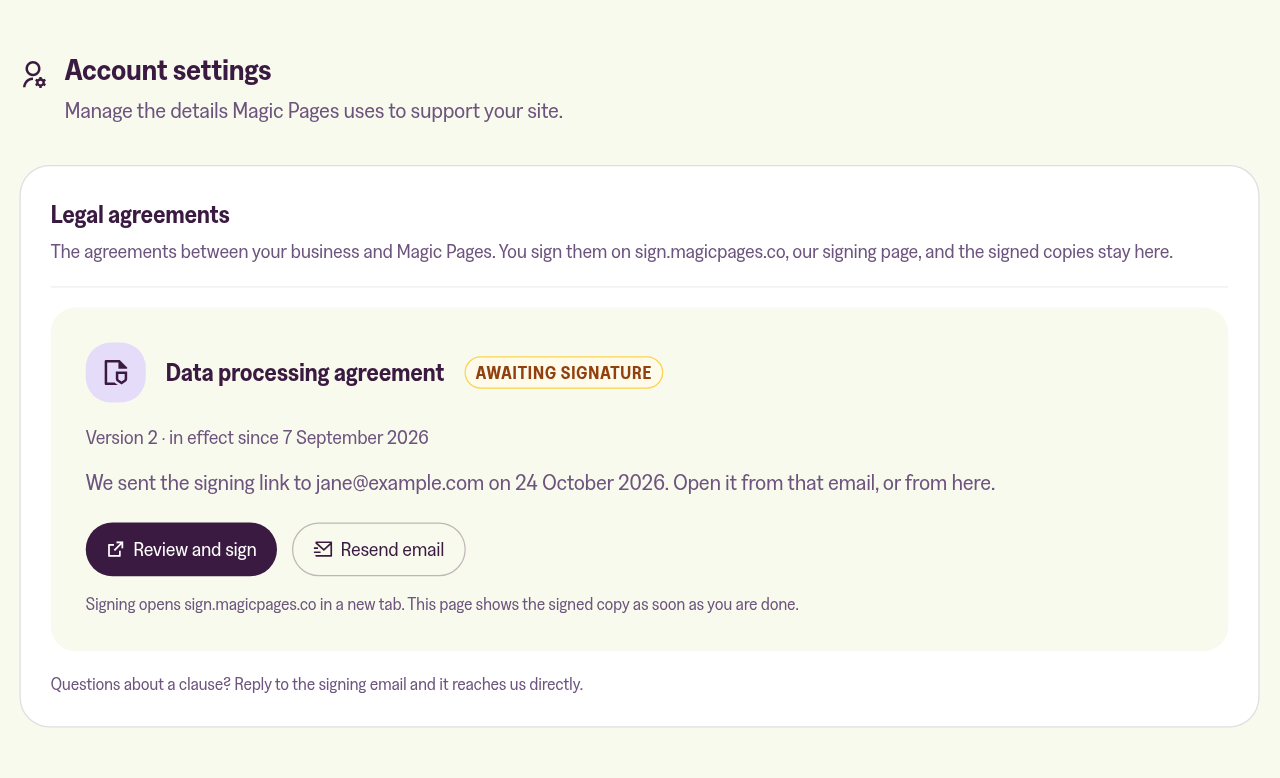
Until you've signed, Review and sign opens the same signing page in a new tab, and Resend email sends the link again.
On the signing page, you fill in your name or your company's name and address, add your initials where the pages ask for them, and sign at the end. It runs on Documenso, an open-source signing tool we host ourselves. If you use Brave, turn off Shields for sign.magicpages.co first, so the fields respond to your clicks.
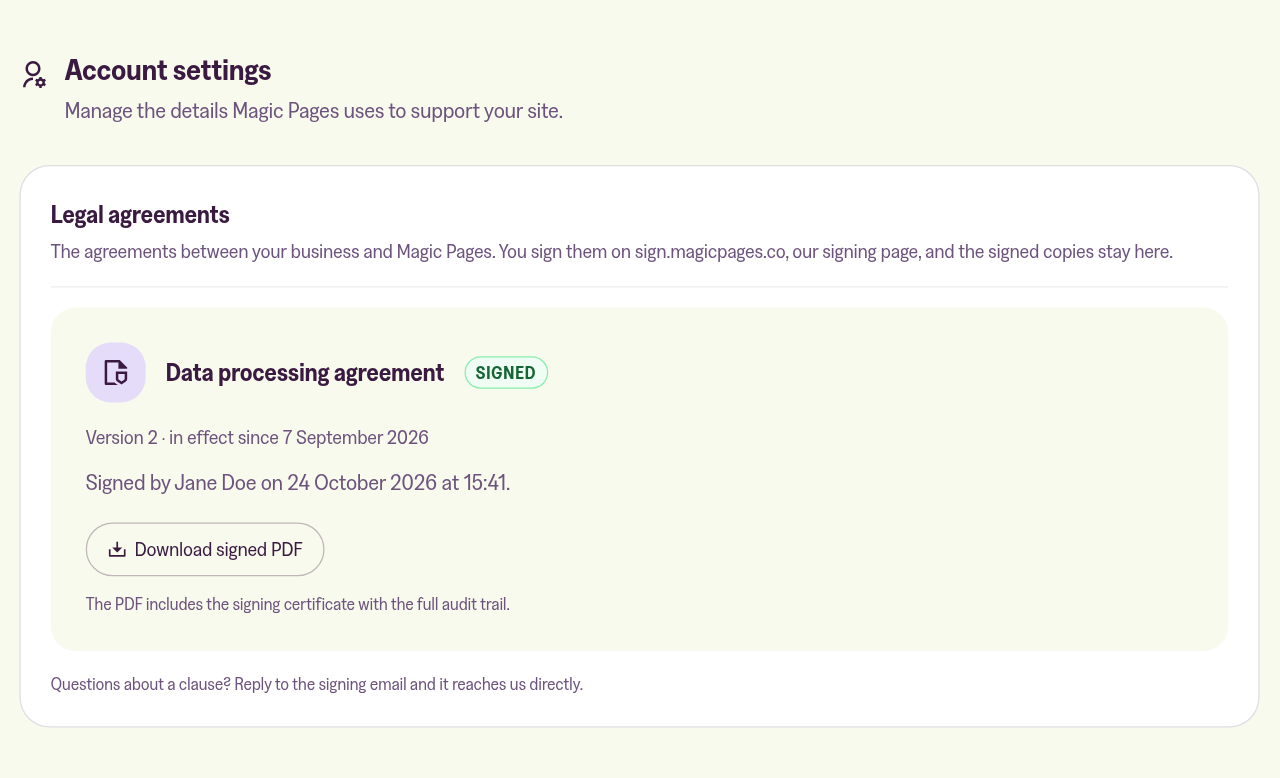
The portal card then says Awaiting our signature until we've countersigned, then Signed. We email you the signed PDF, and Download signed PDF gets you the same copy from the portal.
When we publish a new version of the DPA, the card shows New version. Your copy of the old one stays available.
If you signed a DPA with us on sign.magicpages.co, that copy is already in your portal. And if a clause doesn't work for you, reply to the signing email. It comes straight to us.
Your signed copy
Every signed agreement carries our seal. If anyone changes the PDF after it's signed, the seal shows it. Since 24 October, each one also has a timestamp from DigiCert, which records when we sealed it.
Some PDF readers show our seal as "unknown". That only means we issued the cryptographic certificate ourselves. A certificate authority charges several hundred euros a year for one, and it wouldn't make the seal any stronger. It would only change what your PDF reader displays. If you'd like to confirm the seal is ours, the help article lists its fingerprint to compare.
The step-by-step guide is in our help centre:
 Jannis Fedoruk-Betschki