
Ghost has no contact form of its own. Until now, that left you with an email address on a page or a form from yet another service.
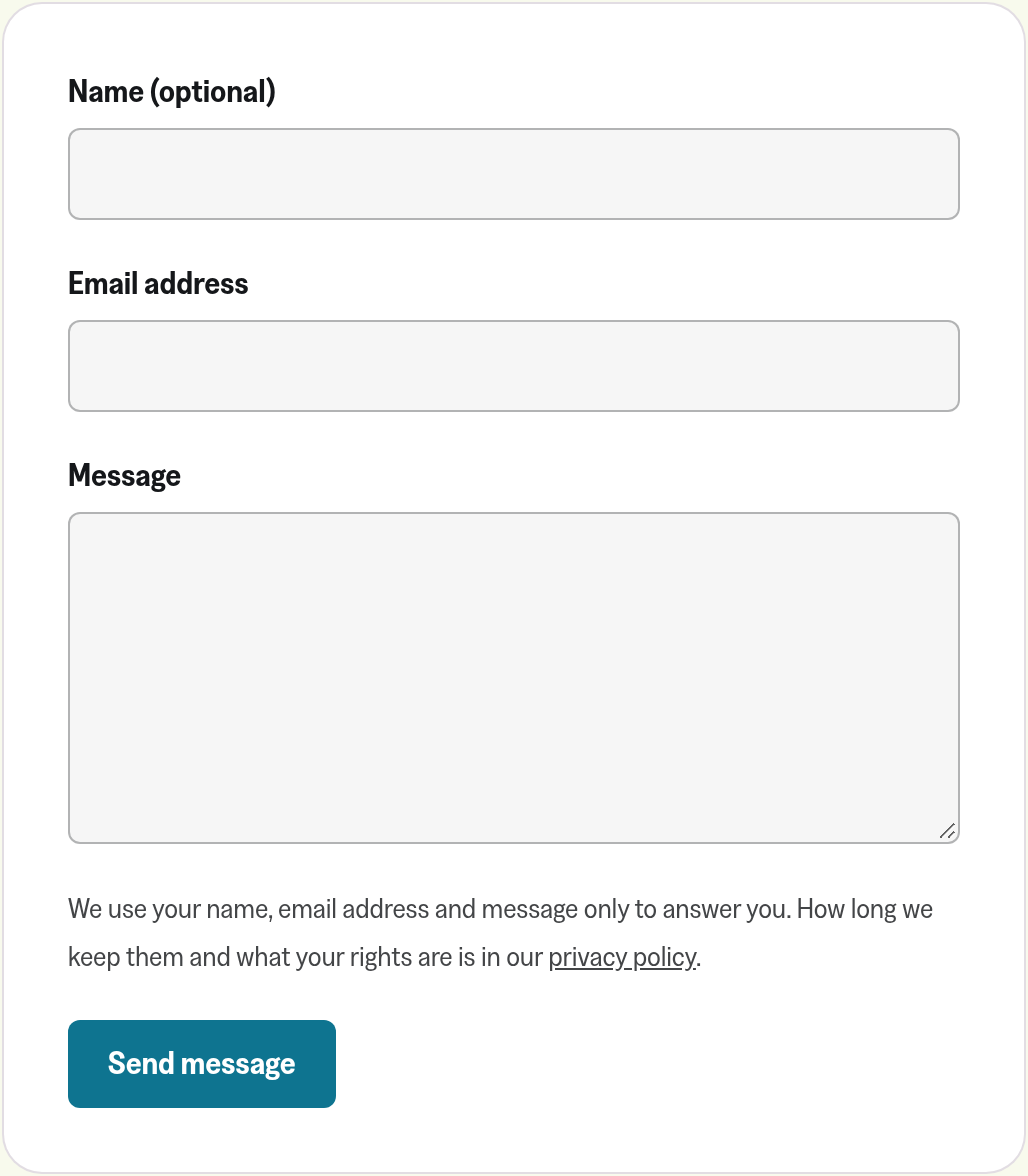
Your site can now have a contact form on any page, served from your own domain. Readers write to you without your email address ever showing up on the page, and each message reaches your inbox with the reader set as the reply address.
Why we built it
An email address on a contact page gets scraped, and the spam follows. The usual way around that is a form service, which sends your readers' messages through another company's servers. That company then needs its own place in your privacy policy.
We already host your site and process your readers' data on your behalf. Running the form on your domain adds no one new to that list.
What you can do
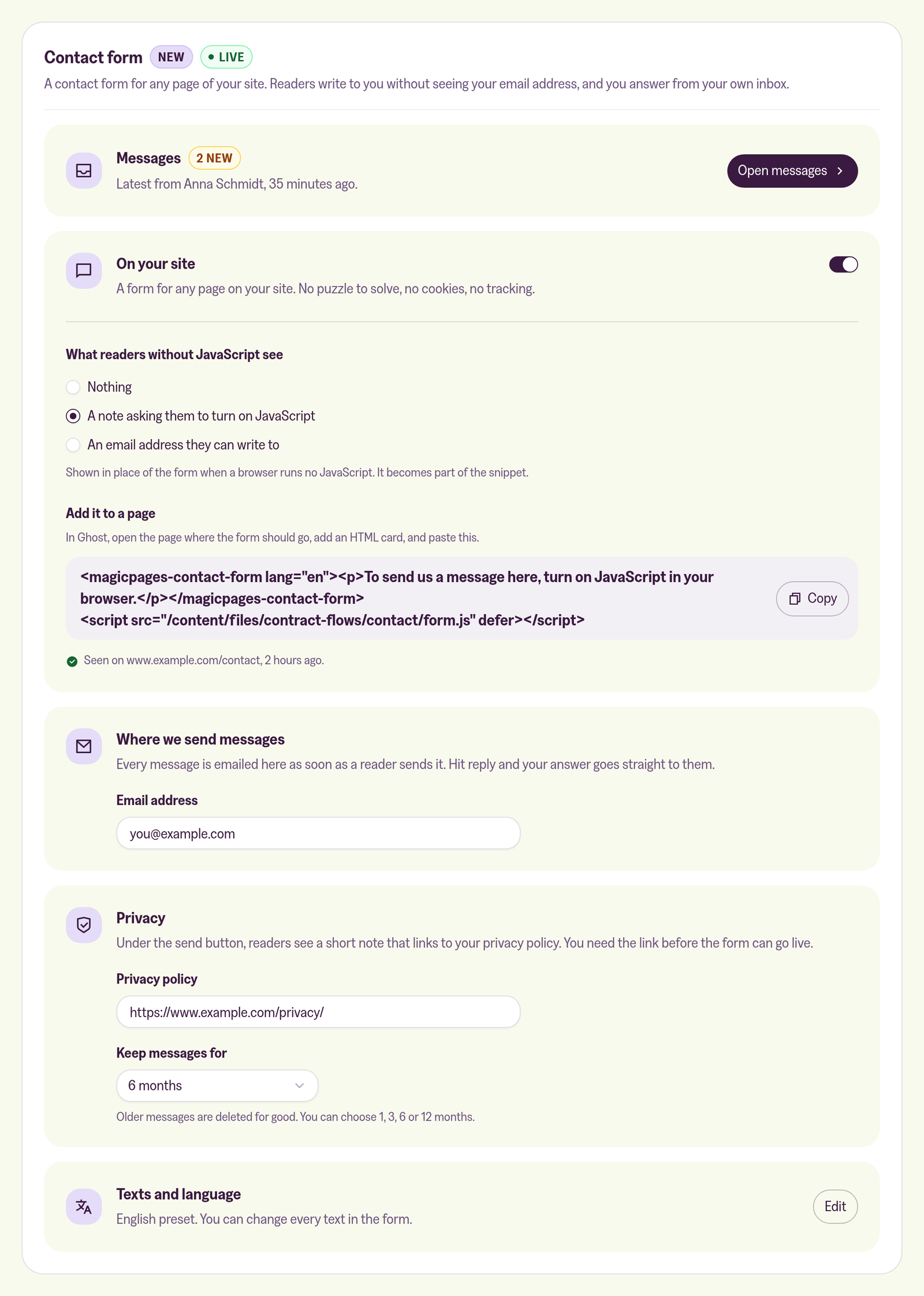
In your customer portal, the form is under Configuration → Contact form. In the standalone portal, it's the Contact form tab of your site. Switch it on, copy the snippet and paste it into an HTML card on your contact page. Once the page has been opened, the portal shows where it last saw the form, like /contact 2 hours ago.
Readers only need an email address and a message, and the name is optional. They don't tick a box or click through pictures of traffic lights. Instead, their browser works through a small calculation in the background once they start filling in the form. That script comes from your own domain too, and nothing is stored on their device.
The form takes your theme's font and your accent colour. You can change every text, pick the language, and style it further with CSS.
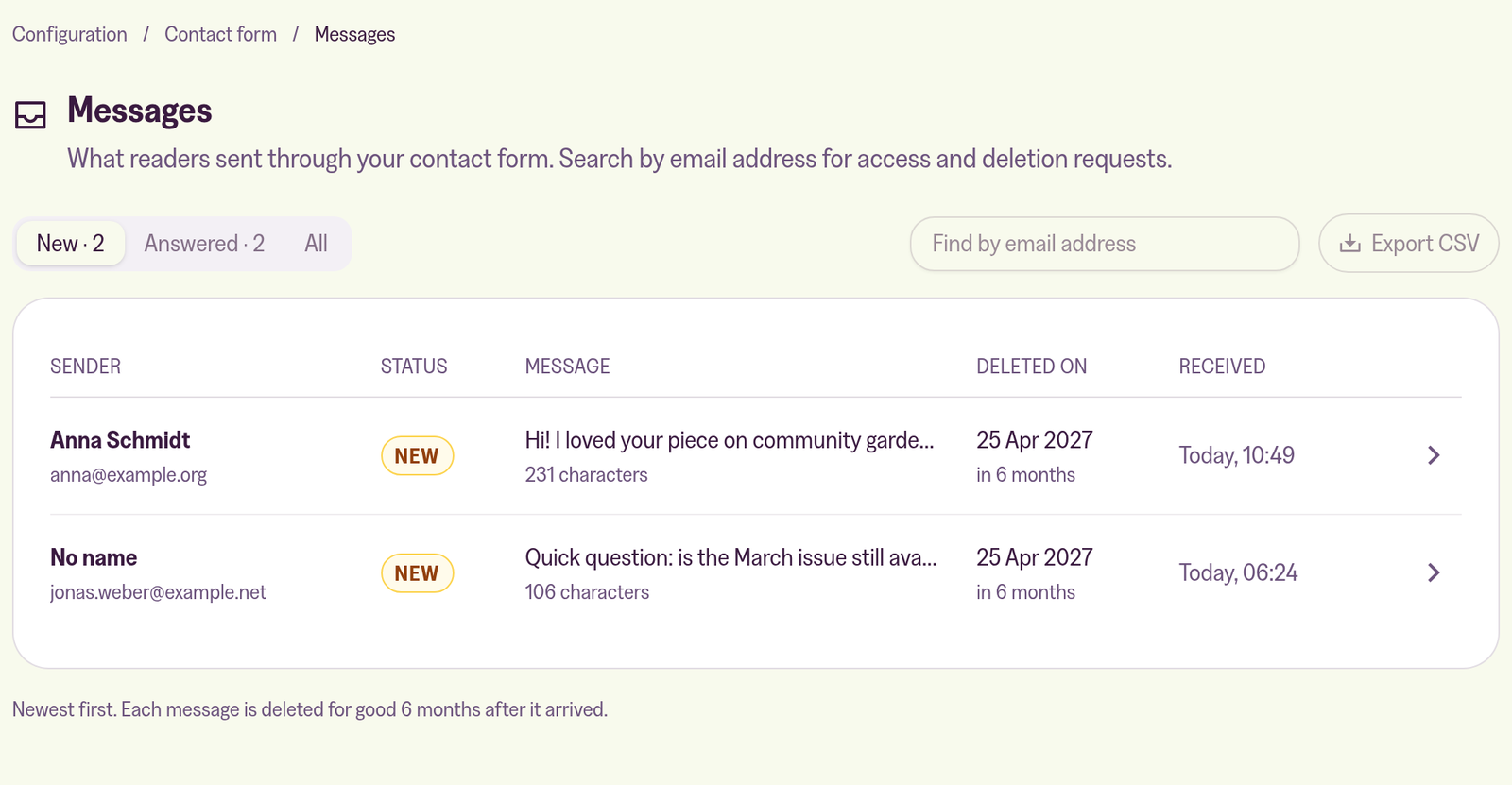
We email you each message as soon as it arrives. Reply from Gmail, Outlook or whatever you use, and the answer goes straight to the reader. The portal keeps a copy: mark it answered when you're done, or delete it. After 6 months it's gone for good, or after 1, 3 or 12 if you pick that instead. When a reader asks what you've stored about them, search for their address and export their messages as CSV, or delete them all at once.
What it doesn't do
Readers don't get a copy of their message, because anyone could type in someone else's address. There's no spam folder: if a message fails our checks, we drop it before it's stored. And we never reply for you.
Before the form goes live for the first time, the account owner signs the Forms Addendum in the portal, and our data processing agreement if they haven't yet. The form follows our reading of the rules. That isn't legal advice, and whether it meets the requirements for your site is up to you.
Our help article covers the setup, styling the form, and a suggested paragraph for your privacy policy:
 Jannis Fedoruk-Betschki