
Since February 2024, Gmail has required a DMARC record from anyone who sends it 5,000 or more emails a day. The same record can do a second job: it can ask inbox providers for a daily summary of every server that sent email with your domain in the From line.
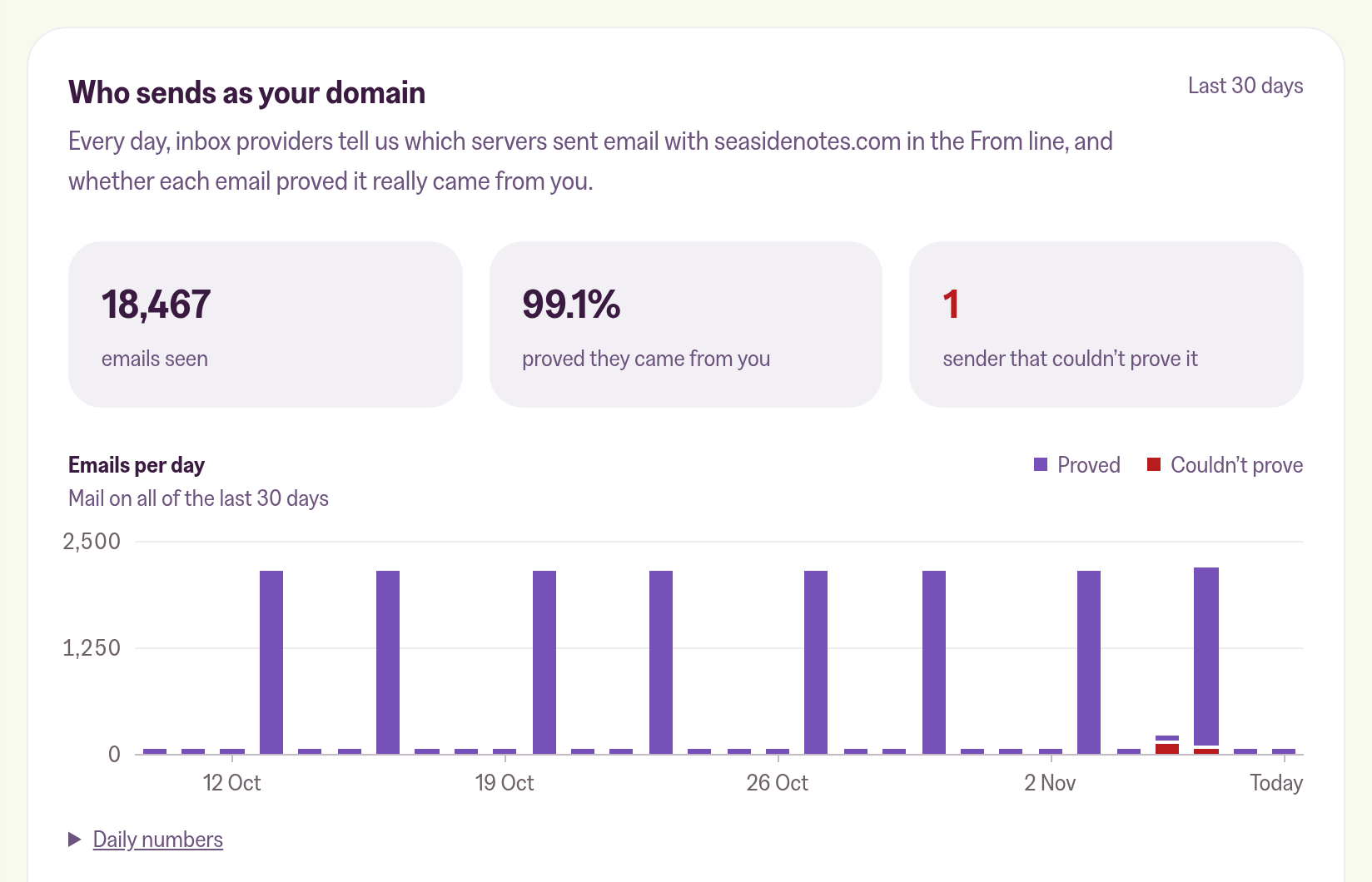
Your customer portal now reads those summaries for you. The Newsletter tab has a new card, Who sends as your domain, with the last 30 days in one place.
Why we built it
Anyone can put your domain in the From line of an email. That's how most phishing works, and the summaries are where it shows up. They also list your own tools that send as your domain, like an invoicing service, and whether their emails pass the check.
But the summaries arrive as zipped XML files, one per inbox provider per day, and reading them takes a tool of its own.
We send your newsletters from your domain, so how that domain fares with inbox providers is partly on us. As your publishing partner, we'd rather explain what's going on than leave you alone with the XML. The card puts it in the simplest way: who sends as you, and whether each one proved it. Our own servers are already labelled as ours, and SPF and DKIM only come up once you click into a sender, cutting away noise.
What the card shows
At the top: how many emails used your domain, the share that proved they came from you, and how many senders couldn't. Below that, a chart with one bar per day.
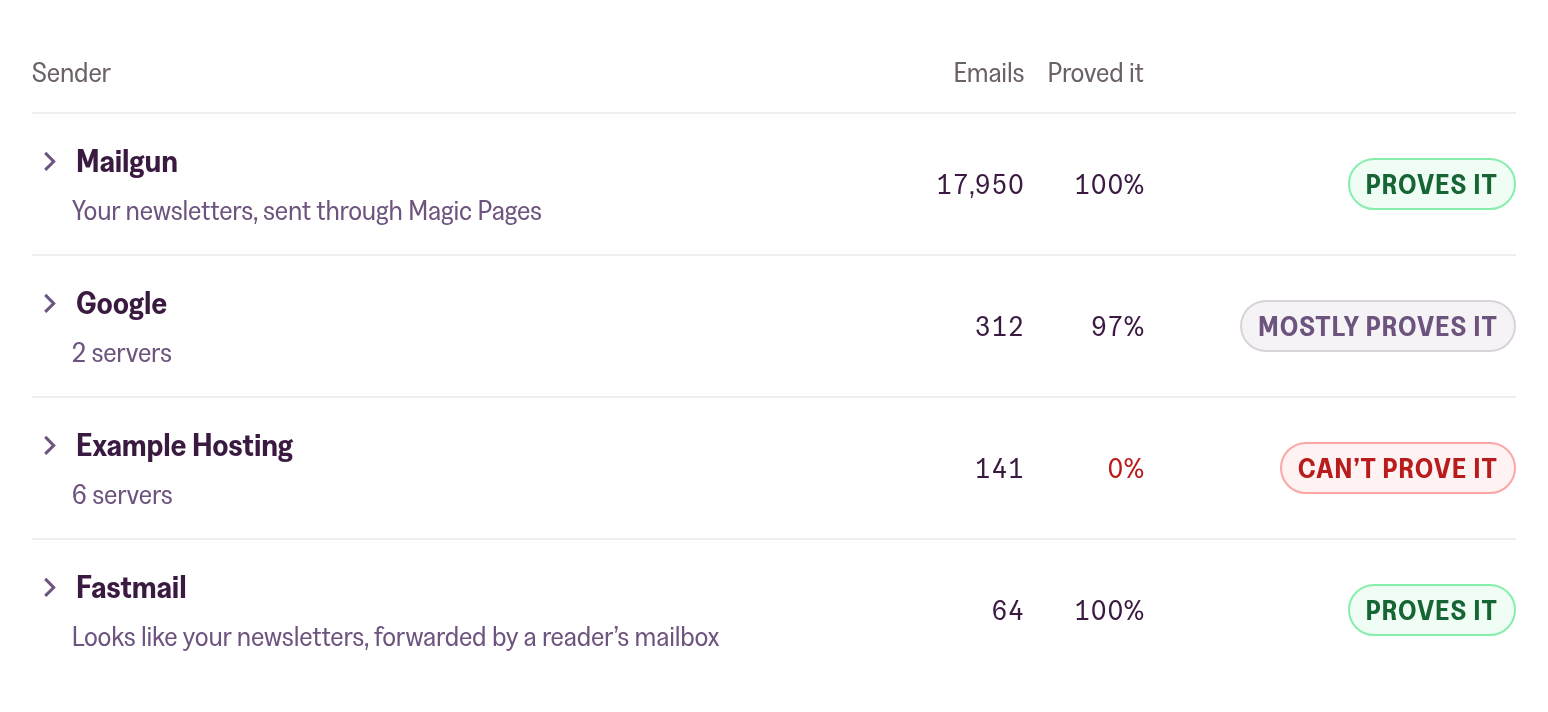
Then every sender gets its own row and a verdict: Proves it, Mostly proves it or Can't prove it. Our row says "Your newsletters, sent through Magic Pages". When a subscriber forwards your newsletter to another inbox, through Gmail or Fastmail for example, the card labels that row as your newsletter, forwarded by a reader's mailbox.
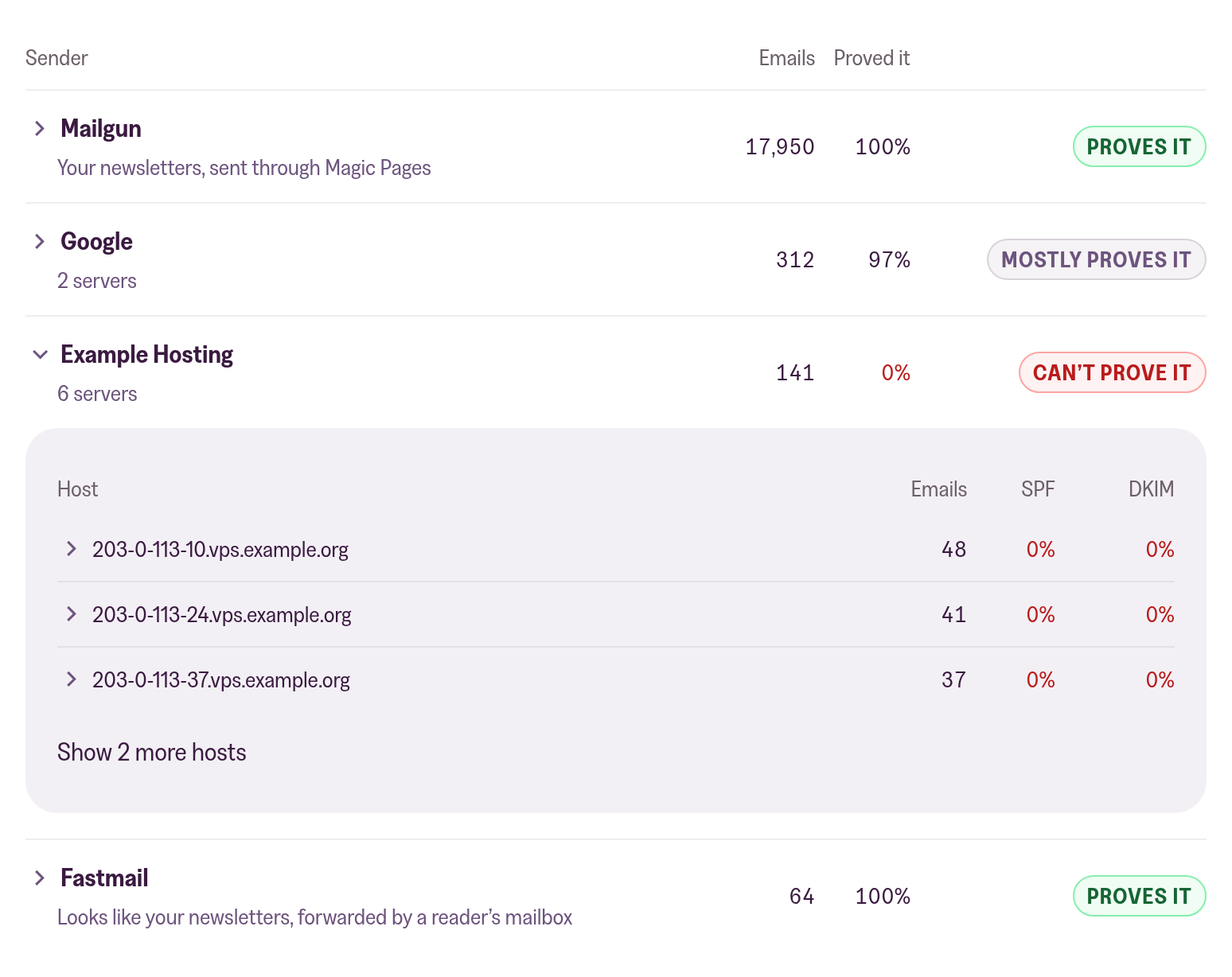
Click a sender to see its servers and how many of their emails passed SPF and DKIM, then a server to see its IP addresses.
Setting it up
You need a sending domain of your own. If we manage your domain's DNS, it's one click. Anywhere else, Set it up for me finds your DNS provider and walks you through the change in a window on the same page, or you copy the record yourself.
If your record already sends its summaries somewhere, our address goes next to yours and both keep getting them. The first summaries usually show up within 2 days.
What it doesn't do
The card never changes your policy. If your record only watches (p=none), emails that fail the check still get delivered. Moving to p=quarantine, which sends them to spam, is your call, and it's safest once every sender you use proves it.
It also doesn't email you when something fails. You see it when you open the card.
The numbers only count inbox providers that send summaries, and not all of them do. The Country column next to each IP address is empty for now.
The summaries hold IP addresses, counts and check results. They don't say who an email went to or what it said. We keep each one for 90 days.
How to add the record, and what each part of the card means, is in the Help Center:
 Jannis Fedoruk-Betschki