Announcing the Magic Pages Open House. Quarterly calls with our team!

Back to blog

Share images: every post gets a link preview in your site's design

Every post you share on LinkedIn, Facebook, X, Bluesky or Slack can now show an image in your site's design, with no uploads.

· 2 min read

Share a post on LinkedIn, Facebook, X, Bluesky or Slack, and the link now comes with an image in your site's design: your logo, your colours and your fonts, with the post's title on top. Until now, Ghost used the post's feature image there, and a post without one went out with no image at all.

You turn it on in the customer portal, under Configuration › Share images. Nothing changes until you do.
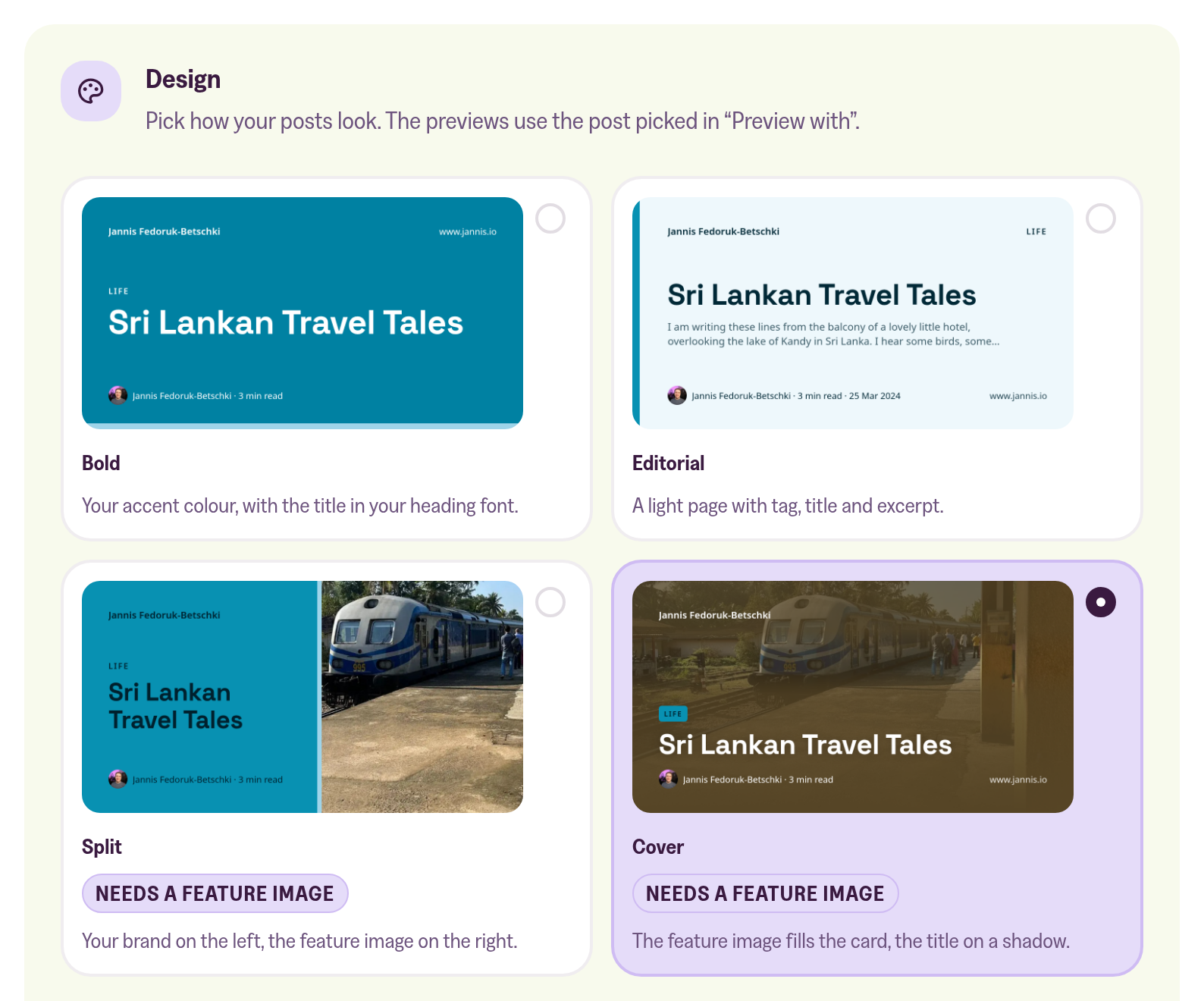
The Design card of the Share images section in the customer portal, for www.jannis.io: the post Sri Lankan Travel Tales is shown as a Bold, Editorial, Split and Cover card, each with a one-line description, and Cover is selected. Split and Cover are marked Needs a feature image.

Four designs

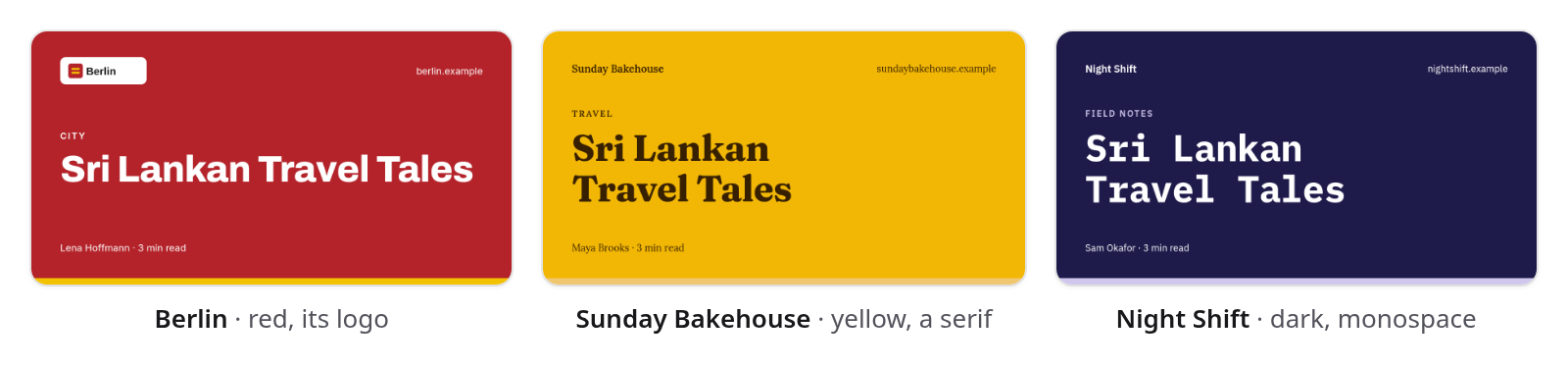
Bold puts the title on your accent colour. Editorial is a light page with tag, title and excerpt. Split and Cover are built around the post's photo, and posts without one get Bold or Editorial instead. We read your brand from Ghost, so there's nothing to upload.
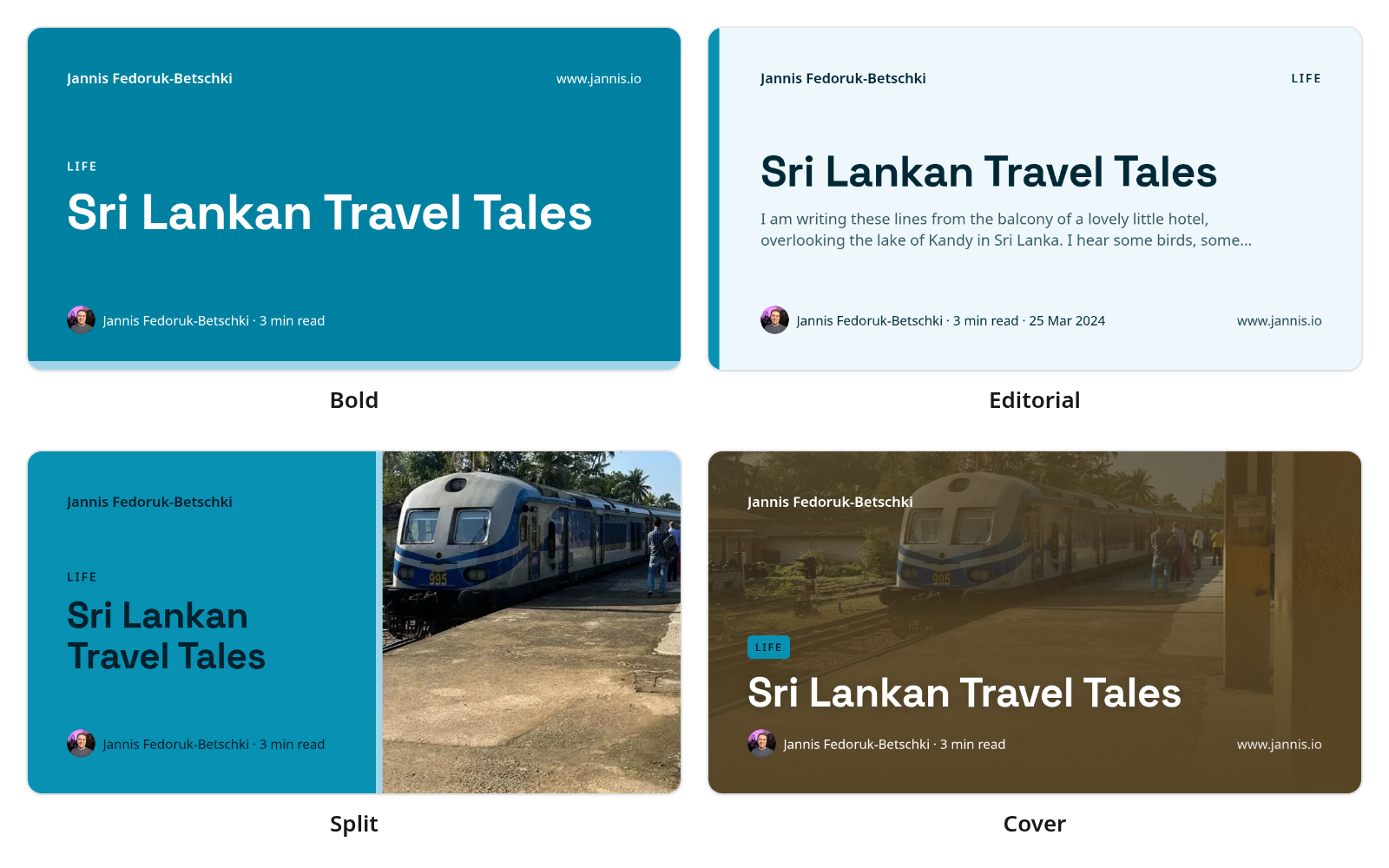
The post Sri Lankan Travel Tales from www.jannis.io in all four designs. Bold: the title in white on the site's teal accent colour. Editorial: a light page with the tag Life, the title and the start of the post. Split: the title on teal on the left and a photo of a blue and white train at a station platform on the right. Cover: the same train photo filling the card, with the title on a dark shadow at the bottom. Each card shows the author, Jannis Fedoruk-Betschki, and the reading time.
The Bold design for the same title on three sample sites: Berlin in red with its logo in the corner, Sunday Bakehouse in warm yellow with a serif heading, and Night Shift in dark navy with a monospace heading.

Your own images stay

If you set a social image for a post in Ghost, that post keeps it. If you'd like, the image can also become the feature image on posts that don't have one, so your homepage stops showing gaps. A feature image you picked is never replaced, and switching back takes ours off again.

Older posts too

Posts you published before turning it on get theirs with one click. We work through them in the background, so you can close the page while it runs.

Everything else is in the help article:

How to give every post a share image in your site's design
Turn on share images, and every post you share on LinkedIn, Facebook, X, Bluesky or Slack shows an image in your site's design.
Jannis Fedoruk-Betschki

Written by

Jannis Fedoruk-Betschki

Founder of Magic Pages. I build reliable Ghost hosting, so publishers can focus on what they do best − creating. When I'm not improving the platform, I'm probably helping a customer get their site just right.

You Might Also Like

Websites powered by Magic Pages

From personal blogs to growing businesses — published with Ghost®, hosted with care.

Loading showcase sites...

Start Your 14-Day Free Trial

No credit card required