Ghost sites on Magic Pages can now publish three small files that let other apps show them as a profile: who runs the site, how to reach them and which sites they follow. The files follow SocialSpec, a new open standard, and you turn them on with one switch in the customer portal.
A customer brought it to us on 4 November 2026. He'd typed his site's address into an app called Social Browser, and it came back half empty. It found the about text he'd added himself, but no contact card and no list of sites he follows, because those two files didn't exist.
What the three files are
Each file sits at a fixed address on your own domain:
/.well-known/about.mdis a short profile in plain text./.well-known/contact.vcfis a contact card, the kind your phone's address book opens./.well-known/following.opmllists the sites you follow, as feeds someone can subscribe to in a feed reader.
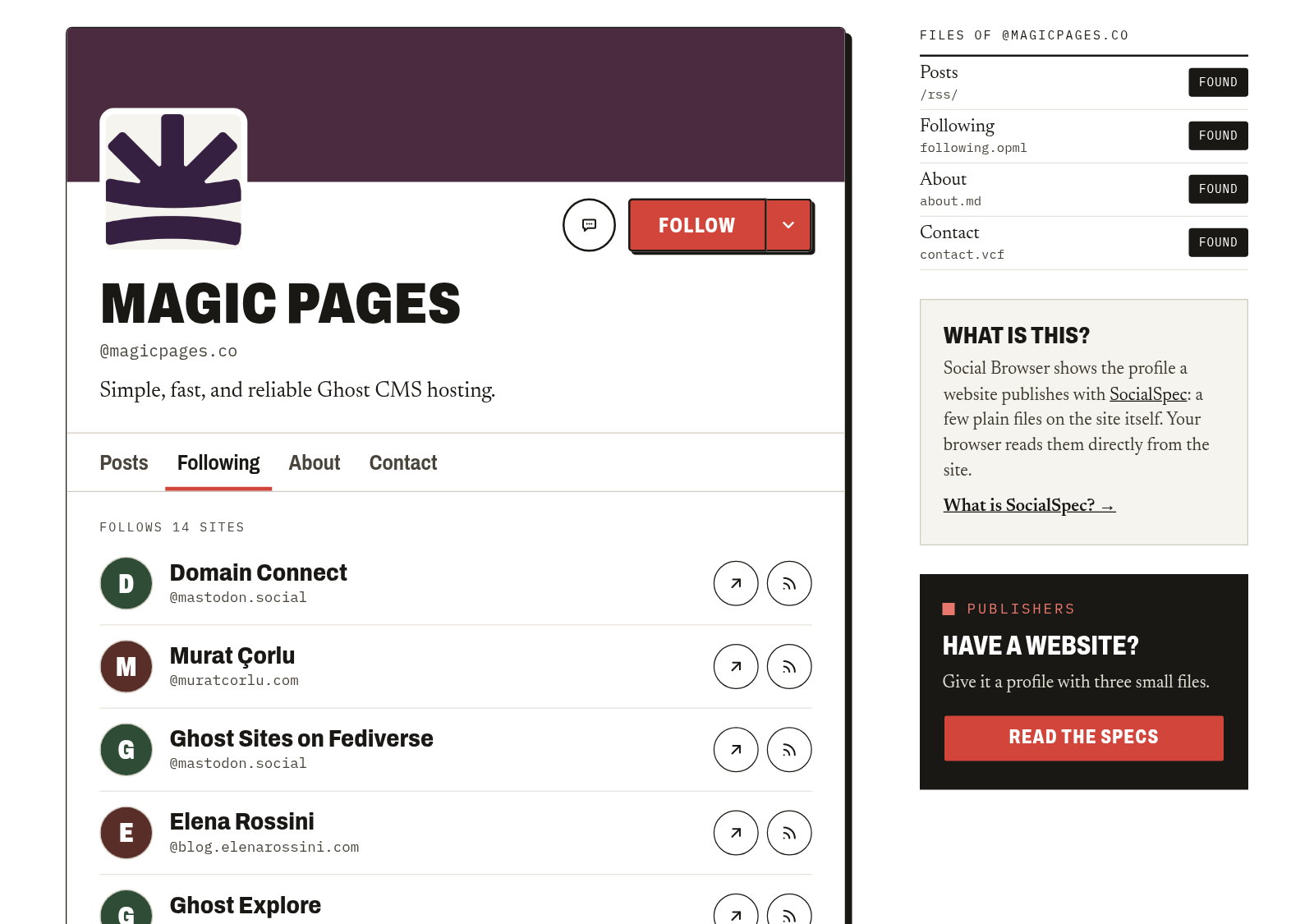
An app that knows those addresses can show a website the way a social network shows a profile. Type magicpages.co into Social Browser and you get our latest posts, the 14 accounts we follow, our about text and our contact card, each in its own tab. Nobody has to sign up for anything.
Caleb Hailey published SocialSpec on 13 October 2026. Micro.blog and a WordPress plugin added support two days later. The apps that read it so far are Social Browser, FollowDraw, which picks three random sites from someone's follow list, and HyperTexting, an iPhone feed reader from Caleb's own company.
Why we like it
The profile is your site. Social Browser reads it from your own domain every time someone opens it. There's no account on someone else's platform to keep up, nobody can change the terms on it, and if you switch SocialSpec off, the files are gone.
That's the same reason we like Ghost's social web feature. Your site is the thing people follow, and the address stays yours.
It also uses formats that already work everywhere. A contact card opens in any address book, a list of feeds imports into any feed reader, and the about file is plain text. An app doesn't need permission from anyone to read them.
You don't have to keep the files up to date
The usual problem with files like these is keeping them current. You change your bio or start following a new newsletter, and a file you wrote by hand still says what it said on the day you wrote it.
On Magic Pages you don't write them:
about.mdis your site title and description from Ghost, or one of your pages if you pick it.contact.vcfhas your site's name, web address, icon, description and the social accounts you've set in Ghost.following.opmllists your Recommendations (the sites you recommend to your readers), then the accounts you follow through Ghost's social web feature. It has its own switch, and it's off until you turn it on.
When you change your title, description, social accounts or the page you picked, the files update about five seconds after you save. Our own follow list is 14 accounts we follow through Ghost's social web feature, including 404 Media and John O'Nolan's blog. Nobody here wrote that list into a file.
Why it isn't part of Ghost
When a feature is built from Ghost's data, we'd normally say Ghost should build it. Then it works on every Ghost site, not only the ones we host. We've written before that what you get on any host is Ghost itself.
But SocialSpec was less than four weeks old when we built this, and its details are still being worked out in an open discussion on GitHub. That's a good time for a hosting provider to try something and a bad time to ask the Ghost Foundation to add it to the core software. So we did it ourselves, without changing Ghost.
Every Magic Pages site already passes through Cloudflare on its way to your readers, and that's where your AI crawler settings get written into your robots.txt. The SocialSpec files are served from the same place, and our customer portal writes them from your Ghost site.
If the spec changes, we change the files and you don't need to do anything. If Ghost one day publishes these files itself, we switch ours off and Ghost's answer the same addresses.
What it doesn't do yet
SocialSpec is young, and some fair questions about it are still open.
For a person reading your site, the files don't add much. Your About page already says who you are, and Kev Quirk made exactly that point on 30 October in SocialSpec Seems...Pointless. He already has an about page, a contact page and a blogroll, and for a human visitor he's right.
What the files add is that software can read them without guessing at your page layout. That only pays off once people use the apps, and in November 2026 the apps are new and small. If you want to be found by new readers today, directories like Bubbles and Bear Discover are easier.
The spec itself may still change. People in the discussion have asked for a single file that tells an app which of the three a site has, and whether it could reuse lookups that already exist, like the one Mastodon uses.
We think it's worth having anyway, because it costs you one switch and the files keep themselves current. If the apps grow, Ghost sites hosted on Magic Pages are already there.
Before you switch it on
- Your email address is only in
contact.vcfif you type one into the portal. We never copy it from Ghost, because spam bots collect addresses from files like this one. - New Recommendations and follows reach
following.opmlat a nightly rebuild, because Ghost doesn't tell us when those change. A site only appears in the list if we can find a feed for it. - Private sites don't publish the files.
- Brian Schrader's validator fails our
about.md, because it expects a block of settings at the top that includes a summary. The spec doesn't require that block, and Micro.blog and the WordPress plugin don't write it either.
Turning it on
In Ghost Admin, open Customer Portal, go to Configuration and scroll to SocialSpec. Switch on "On your site". Pick a page for about.md if you want one, switch on "Include sites I follow on the social web" if you want following.opml, and save. How to publish SocialSpec files for your Ghost site walks through every setting.
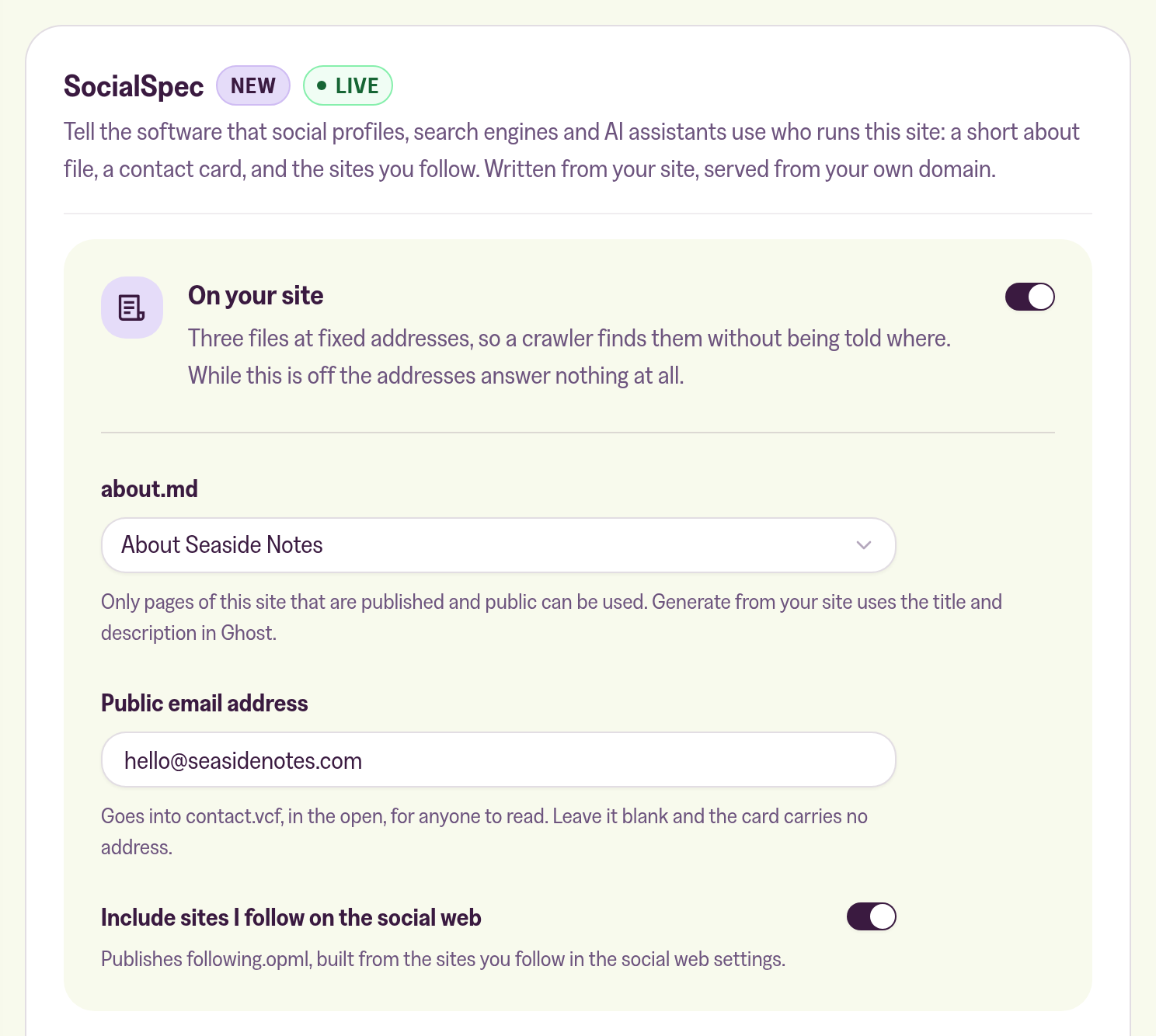
Then type your domain into Social Browser to see what the apps see.