How to publish SocialSpec files for your Ghost site
Publish about.md, contact.vcf and following.opml on your own domain, so SocialSpec apps can show who runs your site and what you follow.
 Jannis Fedoruk-Betschki
SocialSpec lets apps like Social Browser and FollowDraw show who runs your site, how to reach you and which sites you follow. It works from three small files at fixed addresses on your own domain: about.md, contact.vcf and following.opml. We write them from your site and serve them from your domain. You turn them on with one switch in the customer portal.
What's in each file
about.md
A short profile in Markdown. Unless you pick a page, we write it from your site title and description in Ghost, followed by your site's address. If you pick one of your pages, about.md becomes that page's title and its text. Images and links come with it. Embeds, buttons and forms don't.
contact.vcf
A contact card, the kind phones and address books open. It has your site title, your site's address, your publication icon (or your logo, if you haven't set an icon), your site description and a link to each account under Social accounts in Ghost. It only has an email address if you type one into the portal. We never take one from Ghost.
following.opml
The sites you follow, as feeds someone can subscribe to in a reader. Your recommendations in Ghost come first, then the accounts you follow on the social web. A site only makes the list if we can find a feed for it.
Turn it on
- Log in to Ghost Admin and click Customer Portal in the left sidebar. If you can't find it, here's where it lives:
 Jannis Fedoruk-Betschki

- Open Configuration and scroll to SocialSpec.
- Switch on On your site.
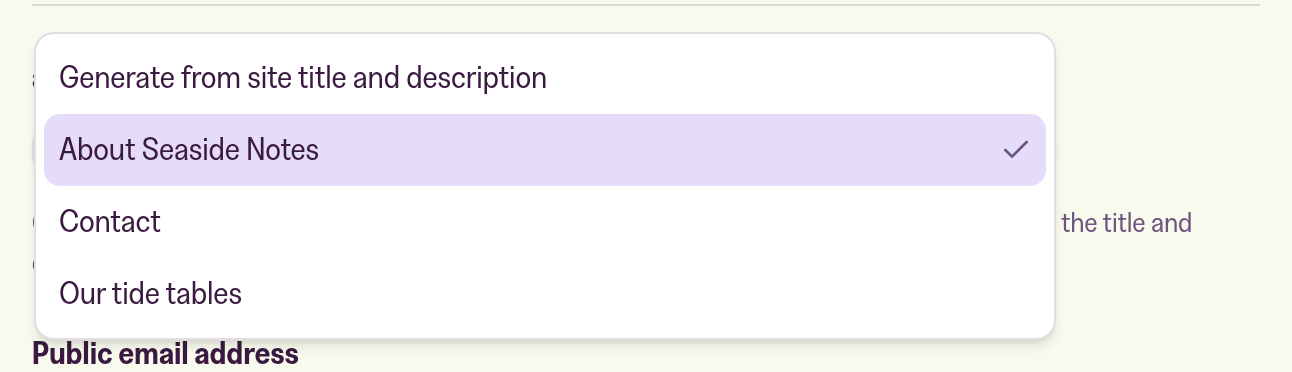
- Under about.md, keep Generate from site title and description, or pick one of your pages. Only pages that are published and public are in the list.
- Under Public email address, enter the address you want in
contact.vcf. It's readable by anyone, so use one you don't mind sharing. Leave it blank and the card has no address. - Switch on Include sites I follow on the social web if you want
following.opml. While it's off, that address isn't published. - Click Save changes.
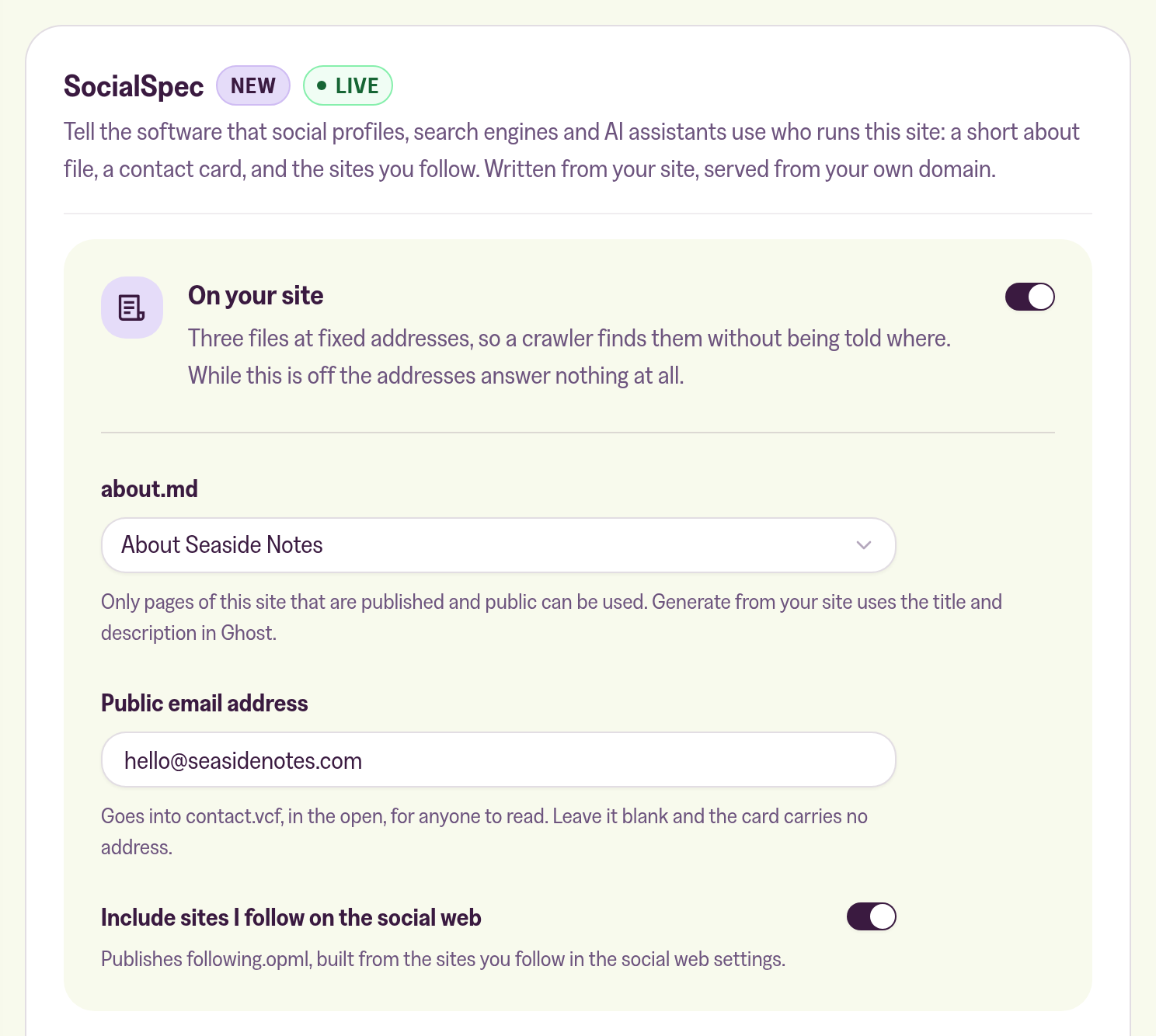
The section now shows Live. Under Your files, each file name links to the file on your site, so you can open it and check.
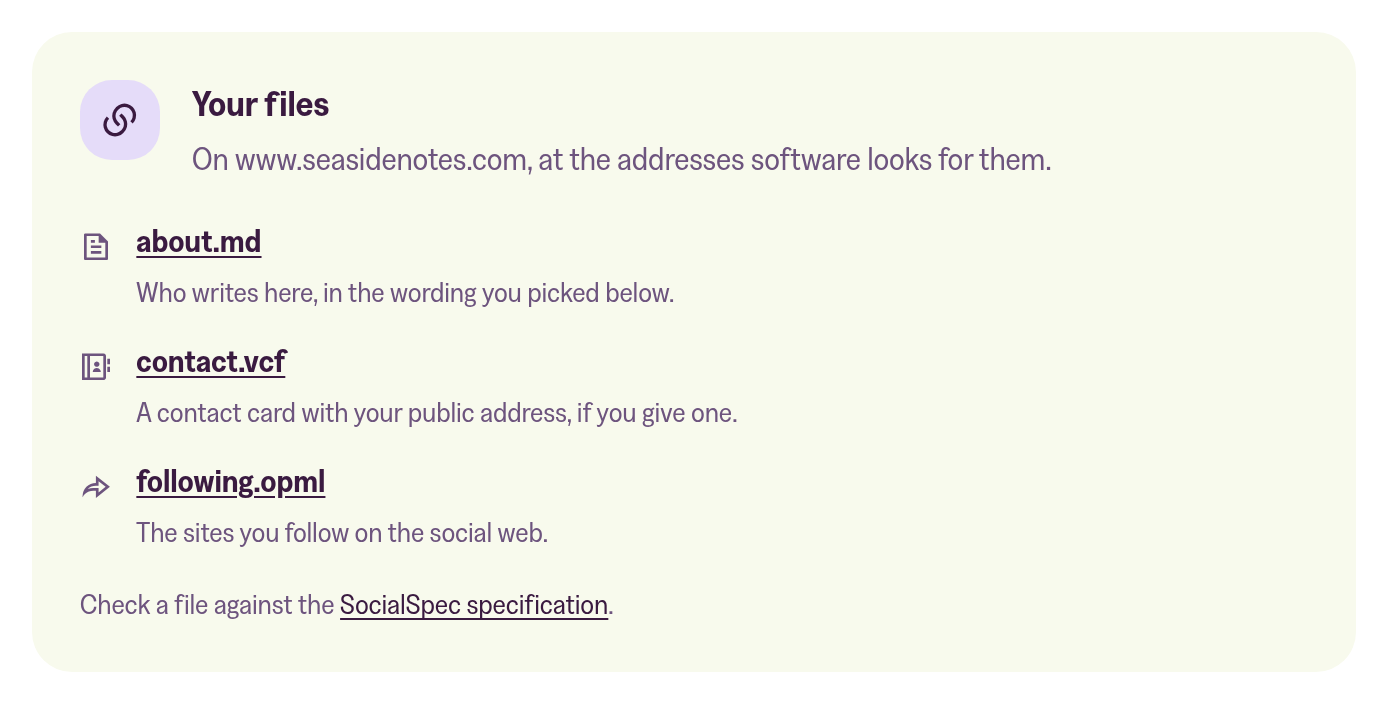
Where the files are
The files are on every address your site uses: your mymagic.page address, and your custom domain with and without www. For a site at example.com, that's:
https://example.com/.well-known/about.mdhttps://example.com/.well-known/contact.vcfhttps://example.com/.well-known/following.opml
Ours are on www.magicpages.co, if you'd like to see what the three look like for a real site: about.md, contact.vcf and following.opml. Our about.md comes from our About page, so it's the long version.
See your profile the way apps show it
Once your files are live, open your site in an app that reads them. Here's ours in Social Browser, with our latest posts, the sites we follow, our about page and our contact card.
Social Browser turns any site into a profile. Type a domain, and it shows the site's latest posts, who it follows, its about.md and its contact card.
FollowDraw draws three random sites from a profile's following.opml. It's a quick way to find something new to read through the sites you already like.
HyperTexting is a feed reader app with a timeline, where every site you follow gets a profile page.
To check a file, the SocialSpec validator reads all three the way a browser app does and lists what each one has and lacks. The specification behind it all is on socialspec.org.
When they change
When you click Save changes in the portal, the files change straight away. When you change something in Ghost, like the page you picked, your site title or your social accounts, they change a few seconds later.
New recommendations and follows reach following.opml at our nightly rebuild, 04:45 UTC, because Ghost doesn't tell us when those change.
Apps can keep a copy for up to five minutes, so a change can take that long to show up in one.
When nothing is published
While only people with an access code can see your site (Settings → Access in Ghost Admin, Who should be able to browse your site? set to Private), we don't publish any of the three files. That includes sites on a free trial, which are private until you pick a plan.
The same goes for a paused or cancelled site, and for any site with On your site switched off. The addresses then answer the way they did before SocialSpec existed, with your site's "page not found".
The usual reasons a file looks empty or out of date are in Why is my SocialSpec profile empty or out of date?
More in this section

Didn't find your answer?
Ask us anything — a real person reads every message, usually the same day.
