Seeing what readers search for on your site
Advanced Search records what people type into your search box. The searches that found nothing are a list of posts your audience wants.
 Sviatoslav Huzel
Advanced Search records what readers type into your search box, and the Search tab has two views built on top of it. Insights shows what people looked for. Suggestions lets you put terms in front of them before they type anything.
Turning it on
Insights runs on the Search analytics switch, in Settings → What gets searched. If the tab shows "Search analytics is turned off", that's where to go.
What's recorded
Counts of search terms, and nothing that identifies anyone. The dashboard says so at the foot of the page: readers are never tracked individually. There's no visitor profile behind these numbers and nothing to export about a person.
If you'd rather not collect even that, turn the switch off. The Insights tab goes empty and search carries on working.
Reading Insights
Three numbers across the top, for the period you've selected:
- Total searches: how many searches ran in the window.
- Clicked a result: the share of those searches that ended with someone opening a post, shown as a percentage. The raw number of clicks sits underneath it.
- Found nothing: searches that returned no match at all.
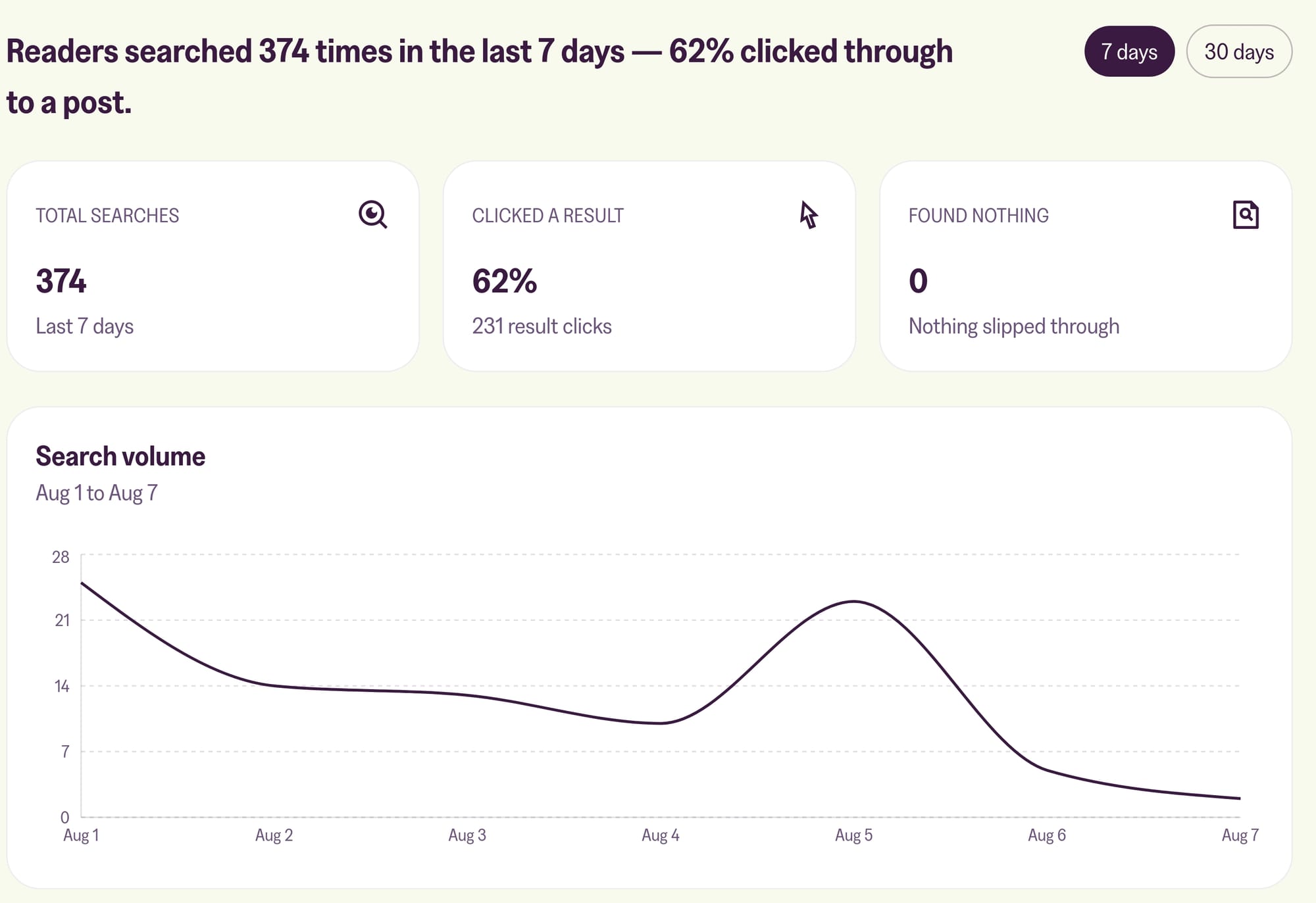
Then a Search volume chart, and two lists.
Top queries is what readers ask for most. It tells you which topics are carrying your site, which is often not the ones you'd guess.
Searches that found nothing is the one to read properly. Every line is somebody who arrived expecting something and left without it. Taken as a list of posts to write, it beats most content calendars: your audience wrote it for you, in their own words, with a count beside each one telling you how many people wanted it. Very short searches are left out of this list, so what you see is what's worth acting on.
You can switch the window between 7 days and 30 days. The 30-day view is plan-gated, so if your site is on the shorter window the dashboard says Showing the basic analytics window and gives you the last 7 days.
Suggestions
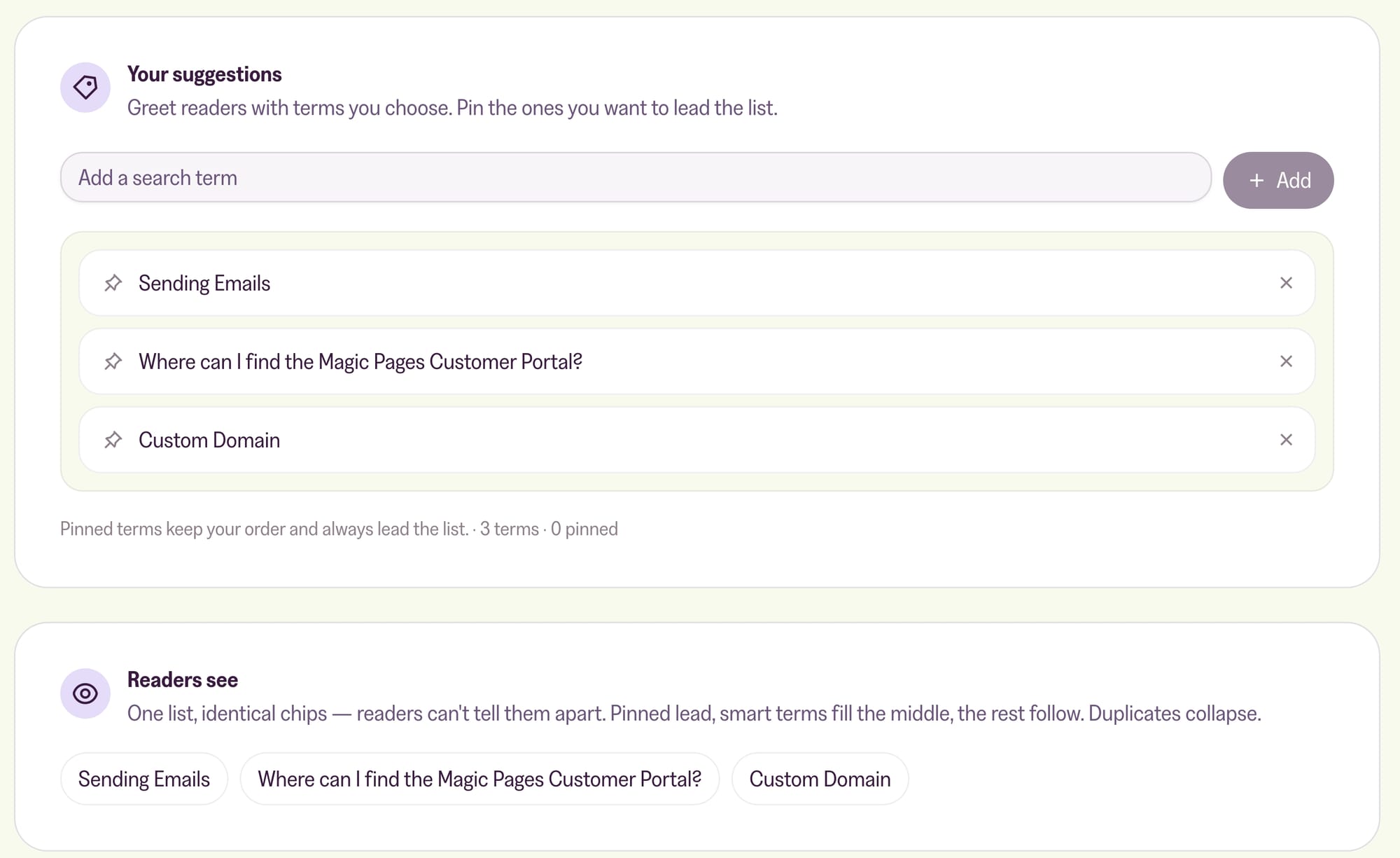
Suggestions are the terms readers see in the search window before they've typed anything. The tab is three cards.
Smart suggestions is on unless you switch it off. It fills the list out for you from your search analytics, so you don't have to curate anything. Smart terms slot in after your pinned ones and before the rest, and duplicates are dropped automatically.
Your suggestions is the list you control. Type a term, press Add, and it joins the list. Pin the ones you want to lead: pinned terms keep the order you put them in and always come first. You can pin up to 10 and hold up to 10 unpinned. When the unpinned half is full the input stops accepting more, and tells you to pin or remove something to make room.
Readers see shows the result as one row of identical chips. That's the point worth understanding: readers can't tell a pinned term from a smart one from a curated one. Pinned lead, smart terms fill the middle, the rest follow, and duplicates collapse.
The loop between the two tabs
This is the part worth actually using. Every row in the Top queries list carries two buttons: Add suggestion, and Pin to add it already pinned. Either one drops the term into your Suggestions draft and takes you to that tab, where you still have to save.
So the loop is short. Read what people searched for, then put the good ones in front of the next reader. A term that's already popular is about the safest suggestion you can make, because you know at least some of your audience wants it.
The Searches that found nothing list doesn't have those buttons, and shouldn't. Suggesting a search that returns nothing would walk readers straight into a dead end. Those go on your writing list instead.
More in this section

Didn't find your answer?
Ask us anything — a real person reads every message, usually the same day.
