Can I add a VAT number for my purchase?
Add your VAT number during checkout to avoid VAT charges on Magic Pages hosting plans processed through Paddle.
 Jannis Fedoruk-Betschki
Yes, adding a VAT number for your purchases on Magic Pages is no problem.
All payments are handled through my payment provider, Paddle, who handles tax compliance. Whether VAT is charged or not is determined by them. You can have a look at applicable tax rates here:


To add your VAT number – and effectively not pay VAT – enter your details during checkout:
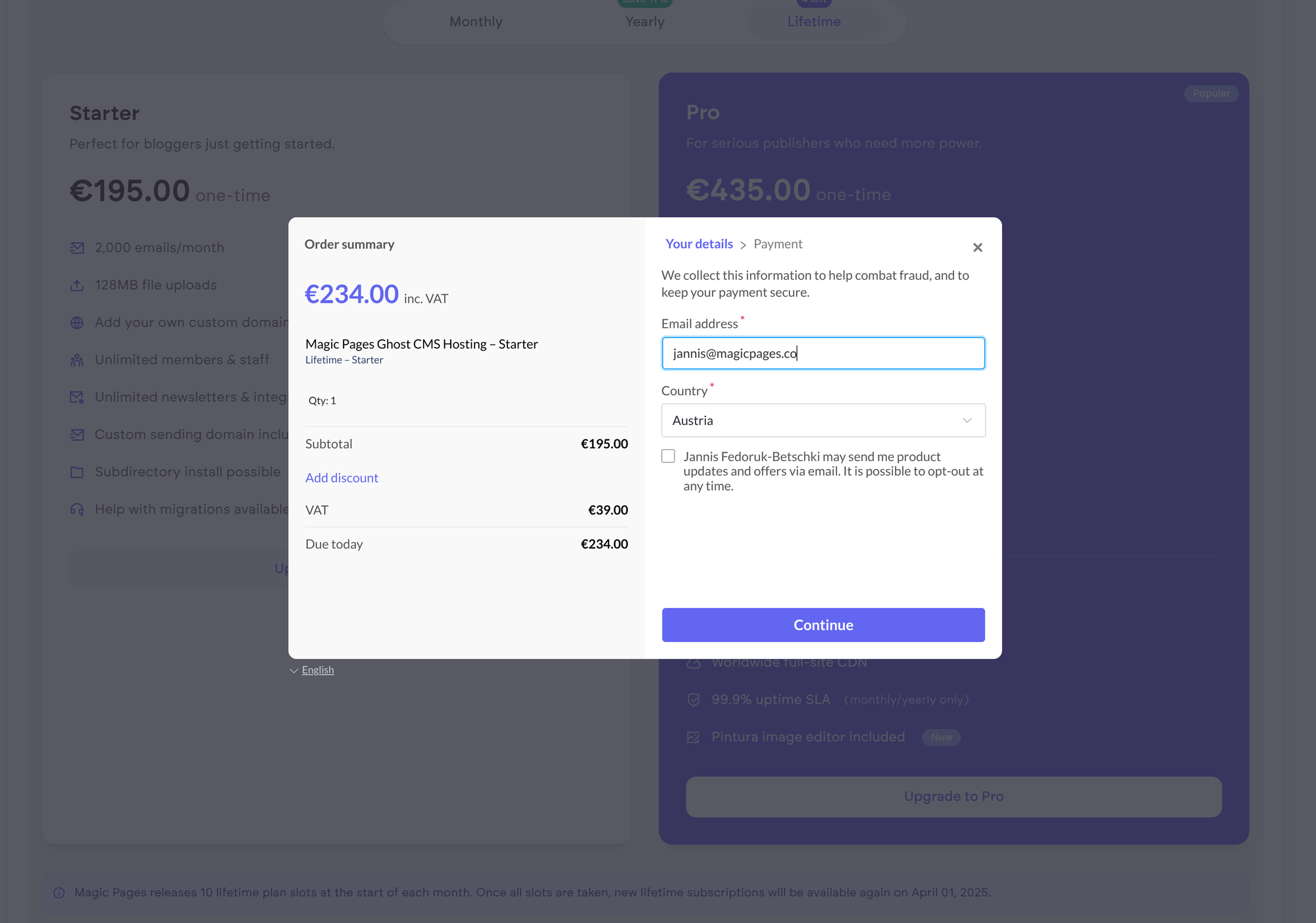
Click continue to get to the second screen:
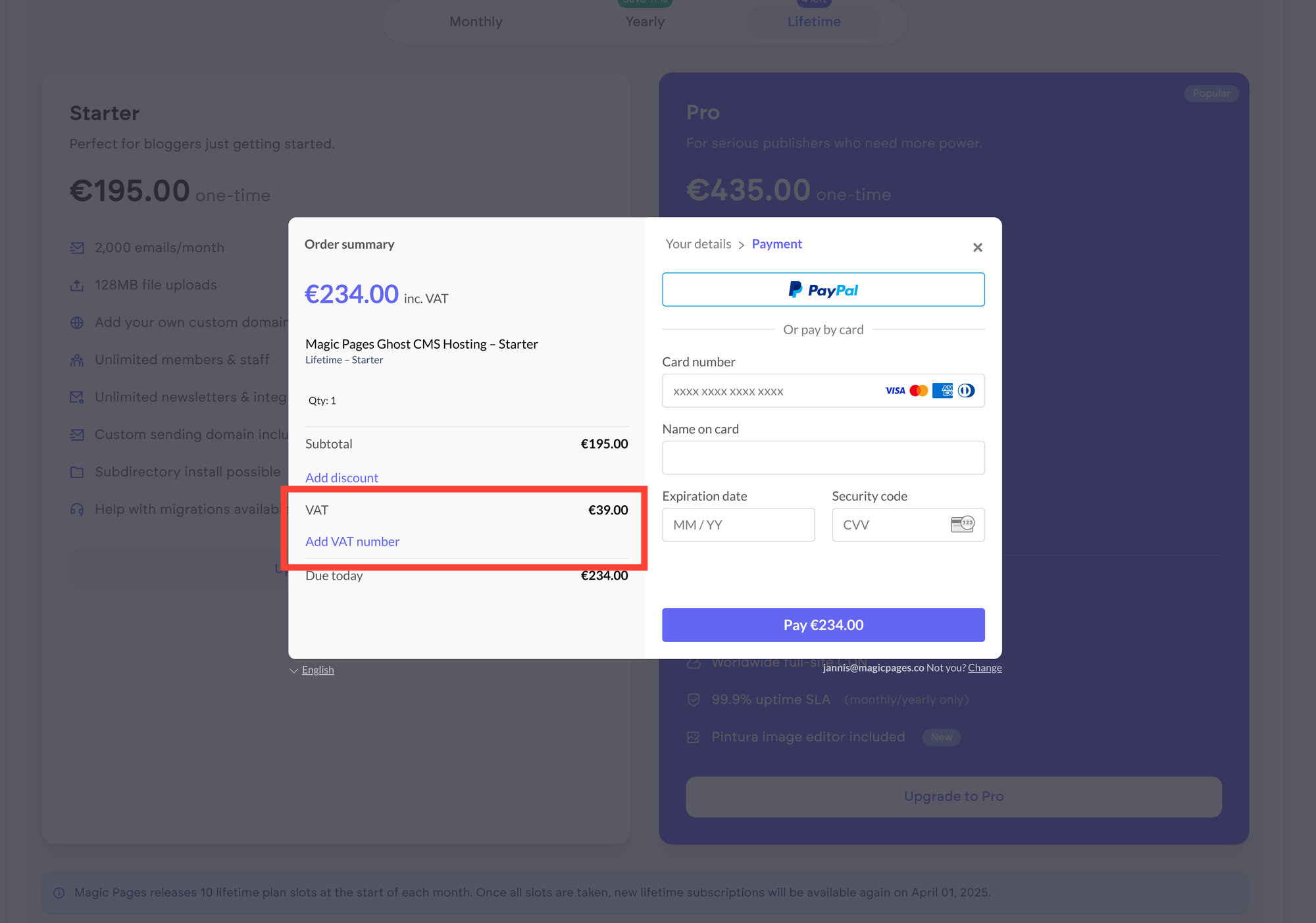
On the left side, a new link was added: "Add VAT number". When you click this, a form will open, where you can add your VAT number:
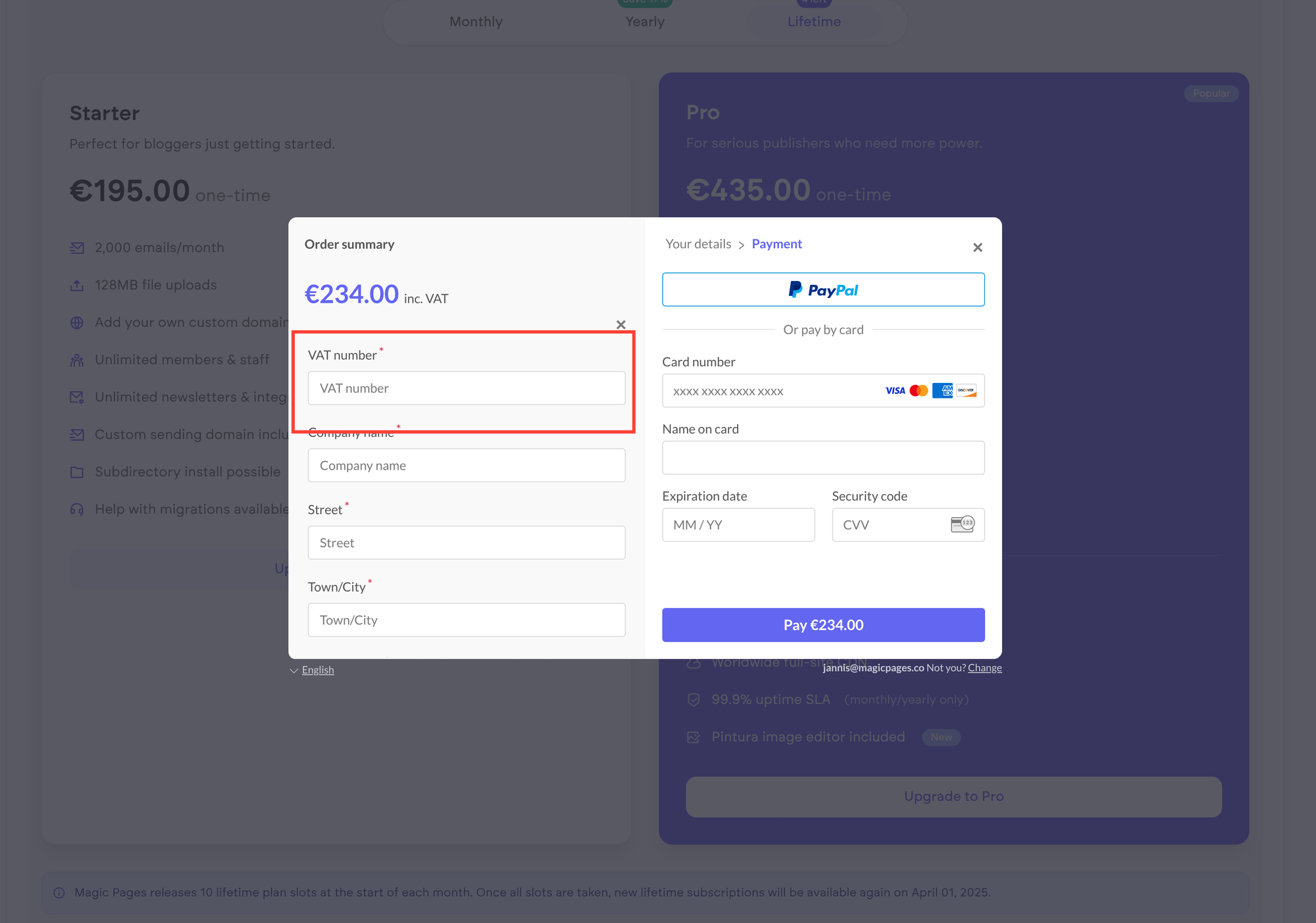
Once you've filled in all necessary details, the price should be updated. You can then add your payment method on the right, and click the "Pay" button. Your payment will be processed and your plan on Magic Pages upgraded.
More in this section

Didn't find your answer?
Ask us anything — a real person reads every message, usually the same day.
