Downloading a backup of your site
You can download any of your site's backups from the customer portal, or take a fresh one before a big change. Where to find them, and what you get.
 Jannis Fedoruk-Betschki
You can download your site's backups yourself, from any of the restore points we keep. Nothing to ask for, and no waiting for us.
Where to find them
- Log in to your Ghost admin at
yourdomain.com/ghostand open the Customer portal. - Click the Support tab and scroll to Backups.
There's a card for each of the two archives, Content Backup and Database Backup. Each shows when the last backup ran and how big it was.
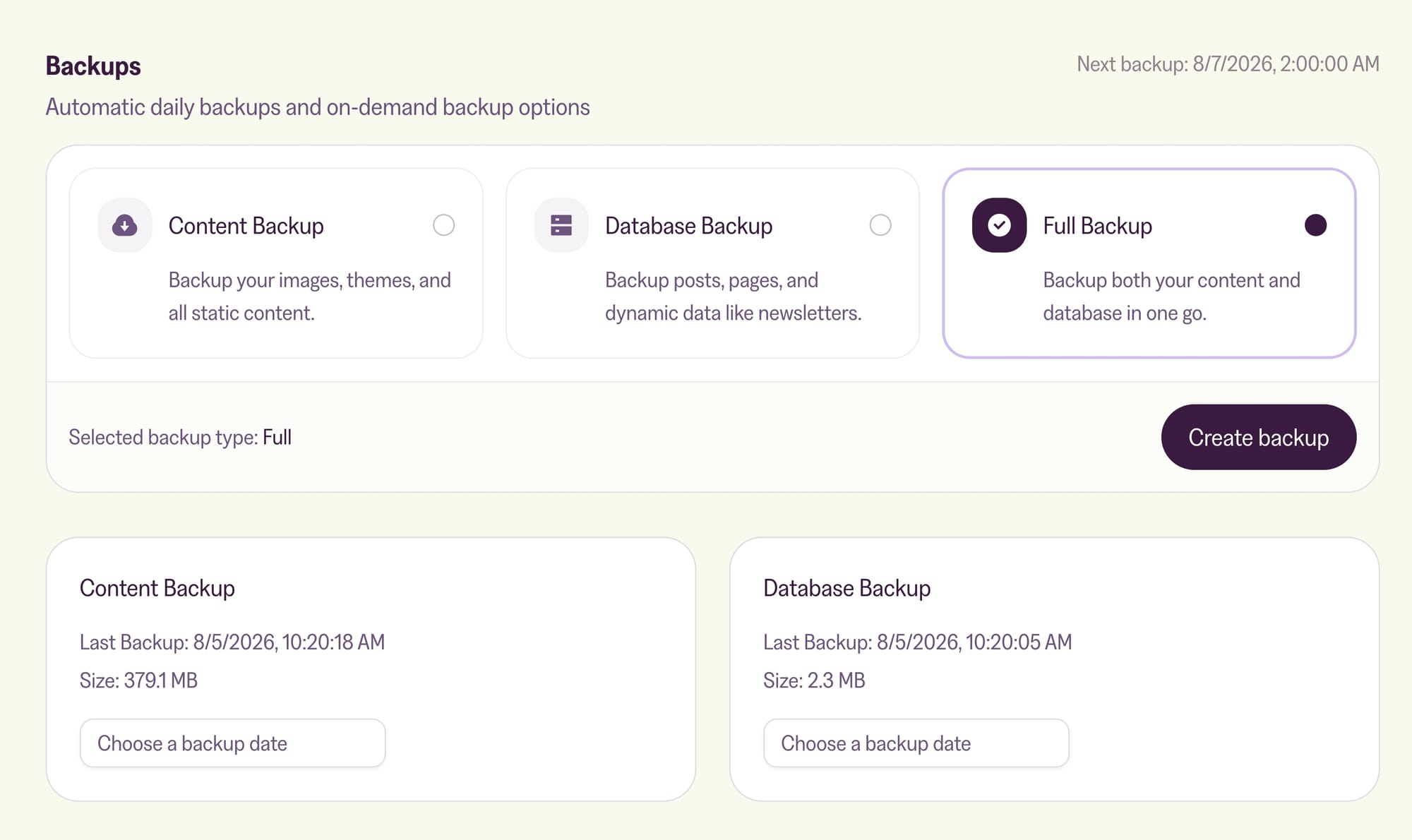
Downloading one
- On the card you want, open Choose a backup date and pick a date. The list holds every restore point we still have: one a day for the last week, one a week for the last month, one a month for the last three months.
- Click Prepare download. We pull that backup out of storage and pack it into a single file. For a large site this takes a few minutes.
- Keep the page open and a Download backup button appears when it's ready. If you close the page, we'll email you a download link instead.
You get a .sql.gz file for the database and a .tar.gz file for the content folder. If you need both, prepare one, then the other.
Taking a fresh backup
The daily backup might be almost a day old. Before a big change, like uploading a new theme or importing content, it's worth taking one right then.
Above the two cards, pick Content Backup, Database Backup or Full Backup (both at once), and click Create backup. We email you when it's done, and it then shows up in the date list like any other backup.
What to do with it
Keep it as your own copy, or use it to run your site on your own machine. How to run Magic Pages backups in a local Ghost environment walks through that for both Docker and the Ghost CLI.
If you want a copy of every backup to land in your own storage automatically, without downloading anything, that's what off-site backups are for.
More in this section

Didn't find your answer?
Ask us anything — a real person reads every message, usually the same day.
