How to move from Substack to Magic Pages
Posts, free subscribers and paid subscribers all come across. What to do before you start, including Substack's 10% fee.
 Sviatoslav Huzel
Your posts, your free subscribers and your paid subscribers all come across. Ghost has a Substack importer built in, and we can run it for you. If you have paid subscribers, there are two things to do before you start.
Before you start: paid subscribers
- Connect Stripe in Ghost, using the same Stripe account your Substack uses. Go to Settings → Membership → Tiers and click Connect with Stripe. With the same account, existing subscriptions keep billing without anyone having to subscribe again.
- Export your subscribers from Substack. Download both the free and the paid subscriber lists and keep them safe.
Then there's Substack's 10% fee. Substack keeps charging it on your existing paid subscriptions after you move, because it's attached to those subscriptions in Stripe. Only Substack can remove it. Ask their support to "disconnect Stripe from my publication and remove the 10% application fee, without cancelling or refunding any existing subscriptions." If the first reply says it can't be done, ask again: it can.
Two things to get right here:
- Export your subscribers before Substack removes the fee. Once it's gone, Substack lists all of your subscribers as free.
- Don't disconnect Stripe yourself in Substack. Substack's own option for it cancels and refunds every paid subscription. Leave the disconnect to their support.
Importing your publication
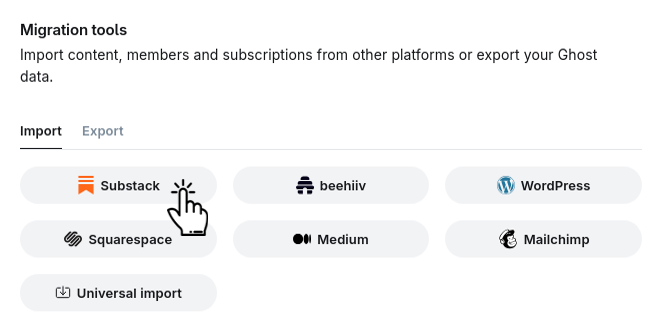
- In Ghost, go to Settings → Advanced → Migration tools, open the Import tab and click Substack.
- Enter your Substack address. Ghost then walks you through creating an export in your Substack settings.
- Upload the export, then your free subscribers list and, if you have one, your paid subscribers list.
- Check the numbers of posts and members Ghost shows you, then start the import.
Use the migrator, not a direct import of Substack's export file. The export has no images, so posts imported straight from it keep loading their images from Substack, and those break once your Substack goes offline. The migrator copies the images over and fixes your internal links. Keep your Substack online until the import is done, because the migrator fetches the images from it.
Prefer us to do it? Send the export and both subscriber lists to help@magicpages.co, with your site's .mymagic.page address.
What comes across
- posts, their authors and their images
- drafts. Check that your drafts are still drafts after the import.
- free subscribers
- paid subscribers, linked to their existing Stripe subscriptions
If the import reports "Could not find Stripe customer" for some paid subscribers, send us the error file. We re-run just those, without touching anyone else.
What doesn't
- Sections. Ghost doesn't turn them into anything. We can recreate them as tags, each with its own page.
- Comments. Ghost has no way to import them.
Keeping your old links working
Substack puts /p/ in front of every post, so /p/my-post becomes /my-post on Ghost. Ghost uses /p/ for post previews, so this needs a redirect, and we set it up with you. Section links like /s/podcast need one too, once the sections exist as tags.
If you published on a substack.com address, those links stay with Substack, and there's no way to redirect them. Email your readers to tell them where you've moved.
Your readers' bank statements may still show "Substack" after the move. You change that in Stripe, under your public business details.
If the import fails before it starts
Ghost's Substack importer runs on a service Ghost provides. If it errors before your file has even uploaded, the problem is most likely on Ghost's side. Wait a bit and try again, because nothing on your site needs fixing.
Switching over
- Check your site at its
.mymagic.pageaddress. - Upgrade to a paid plan. Custom domains work on paid plans only.
- Connect your domain. If your Substack uses your own domain, it keeps serving readers until the DNS change takes effect.
- Set up your newsletter sending domain, before your first send.
 Jannis Fedoruk-Betschki
What it costs
Nothing. Moving your posts and subscribers is free on any plan. Merging paid subscribers from two Substack publications onto one Stripe account is hands-on work, so that move is free with a yearly or lifetime plan. Our migration page explains which moves need one.
Will my newsletters still reach inboxes?
They will. Your first sends come from a new domain, and this explains what to expect:
 Sviatoslav Huzel
More in this section

Didn't find your answer?
Ask us anything — a real person reads every message, usually the same day.
